
FaceLCD Hong Kong Limited
Tel: +8615818692944
E-mail: sales@facelcd.com
Address: 13F, Buiding B, Colorful Tech Park, Guanlan High tech park, Longhua Dist, Shenzhen,China ZIP code 518100
You are here: Home > Technology >
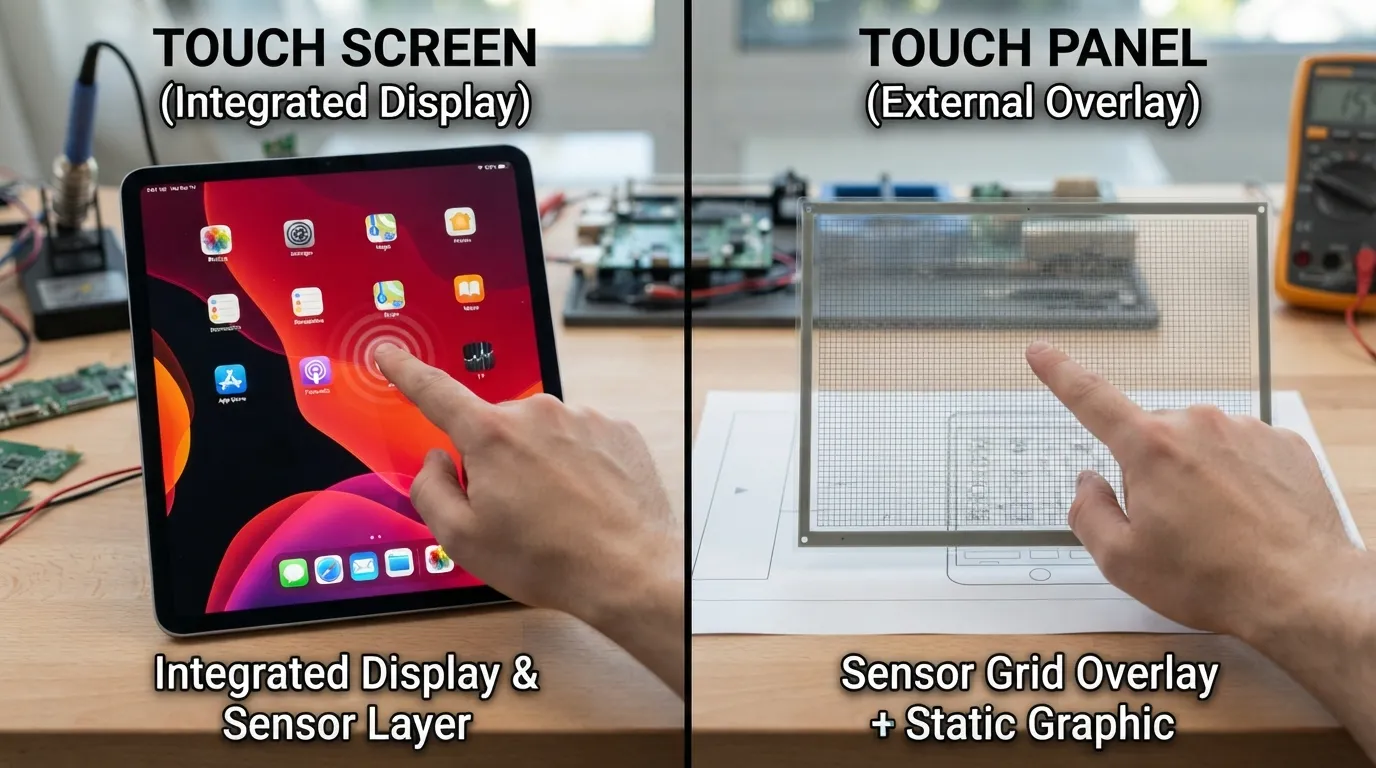
Visit a kiosk, touch a self-service machine or an industrial control system, and you have a high probability of interacting with an advanced touch interface technology. Although the terms are used interchangeably by many, there is a significant difference between a touch screen and a touch panel.
A touch screen is a whole display unit that is a combination of a visual display and a touch input device. It enables the user to see the information and touch the device right on the display surface.
Common examples include:
A touch screen usually consists of:
Simply put, a touch screen is the input device as well as the display.
The touch-sensitive surface that detects the user input is known as a touch panel. It does not generate images by itself. Instead, it is attached to an LCD, TFT LCD, or other display module. The primary aim of the touch panel is to convert physical touch into electrical signals that can be deciphered by a system. Common touch panels can be of the following types:
Suppose that the sensing component is a touch panel, and the display below is the visual content. A touch panel is a gadget that detects physical touch on its surface. The most common technologies are:
A capacitive touch panel is based on the electrical properties of the human body.
Benefits include:
A projected capacitive touch panel (PCAP touch screen) is the latest technology that is presently popular in smartphones, kiosks, and consumer electronics.
A resistive touch panel is pressure-sensitive. As the conductive layers at the top and bottom touch each other, the system determines the location of the press. Advantages include:
The technology is still used in industrial touch panels and HMI display systems.
Capacitive and resistive touch screens are one of the most popular subjects of comparison of touch screen technology.
Best for:
Key benefits:
Best for:
Key benefits:
An example is the 10.4-inch resistive touch screen of FaceLCD that is built on a GLASS+FILM structure with a thin profile of 1.45 mm. It is glove-friendly, waterproof, highly anti-interference, with 80%+3 transmittance and a click life of approximately 1,000,000 touches; thus, it is applicable in industrial and medical applications.
The interactive display technology is nearly an entire industry that is driven by modern technology. Common applications include:
Touch-screen medical displays assist medical professionals in using equipment in a fast and precise manner.
Retail outlets have touch screens and POS touch screens that improve customer service and speed of transactions.
The touch panels used in factories to automate their operations offer operators dependable machine control interfaces.
Automotive touch panels are used to support infotainment systems, navigation, and vehicle controls.
Touch screen panels of smart homes make lighting, security, and climate control easier.
The use of kiosk touch screens is continuing to revolutionize customer experience in airports, banks, restaurants, and even in retail stores.
In considering touch display solutions, consider:
• Operating environment
• User interaction requirements
• Budget
• Display size
• Durability expectations
• Glove usage requirements
• Water exposure conditions
When your project needs sophisticated gestures and a high-quality user experience, a capacitive touch screen can be a good option.
Resistive touch solutions can still be highly effective in case reliability in harsh environments is more of a concern. When dealing with companies that need a custom touch panel solution, it may be simple to negotiate with a reputable touch screen display manufacturer, which will simplify the design, integration, and production process.
It is not just a question of what the difference is between Touch Screen vs Touch Panel. The actual question is what technology is most suitable for your application. The sensing layer that detects input is a touch panel. The whole interactive display system- the combination of touch and visual output- is referred to as a touch screen. Once you understand what that difference is, then it is much easier to select the right solution.
Have to upgrade your display project? FaceLCD provides high-quality touch display systems, industrial touch panels, custom display modules, and stable embedded displays to meet modern needs.