
FaceLCD Hong Kong Limited
Tel: +8615818692944
E-mail: sales@facelcd.com
Address: 13F, Buiding B, Colorful Tech Park, Guanlan High tech park, Longhua Dist, Shenzhen,China ZIP code 518100
You are here: Home > Technology >
Regarding MURA, this is a key professional term in the display industry and optical inspection field.
Core Definition: What Exactly is MURA?
MURA (often transliterated into Chinese as “MURA” or translated as “cloud pattern,” “stain,” or “display non-uniformity”) refers to a defect on a display screen characterized by uneven brightness or color. It manifests as a visually discernible difference in brightness or color between a localized area of the screen and its surroundings; however, it lacks a clear boundary. Typically, it appears as cloud-like, patchy, or streaky patterns.
In short, MURA can be described as a screen appearing “dirty” or exhibiting “uneven color or brightness.” Nevertheless, it should be noted that this is not caused by dust—rather, it is an inherent defect of the panel itself.
Understanding MURA’s traits helps in identification. Its key characteristics include:
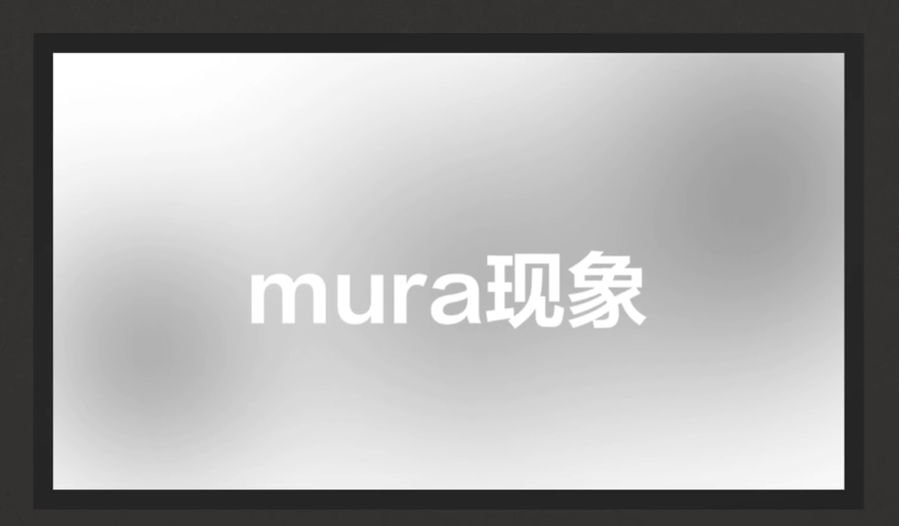
Common Types of MURA (Based on Shape and Cause)
MURA appears in various forms, each linked to specific manufacturing issues:
| Type | Description | Common Causes |
| Cloud MURA | Irregular cloud-like patches; the most typical form. | Poor backlight uniformity in LCDs; uneven evaporation or encapsulation in OLED panels. |
| Line MURA | Horizontal or vertical bright/dark lines. | Uneven TFT array driving in LCDs; external pressure on the panel. |
| Edge MURA | Brighter/darker areas along the screen’s edges. | Mechanical pressure from the panel bezel; optical design issues at the edges of the backlight unit. |
| Spot MURA | Small circular or oval-shaped stains. | Localized LED hot spots in LCDs; minor encapsulation defects in OLEDs. |
| Gamma MURA | Brightness non-uniformity at specific grayscale levels. | Imprecise voltage compensation from the driver IC; inconsistent TFT characteristics. |
Why Does MURA Happen? Root Causes Explained
MURA originates from the unavoidable physical non-uniformities in the display panel manufacturing process. The specific causes vary across different display technologies.
Causes of MURA in LCD Screens
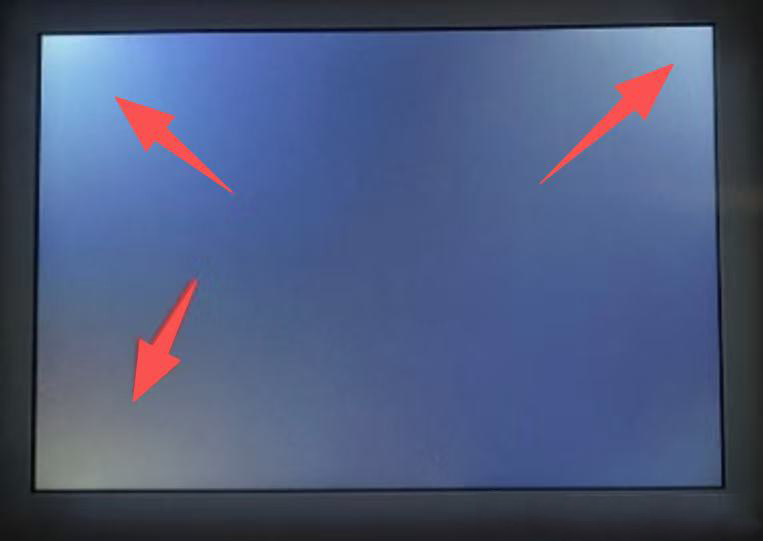
How is MURA Detected and Evaluated?
Since human vision is subjective, the industry relies on objective methods:
How is MURA Different from Other Screen Defects?
| Defect Type | Characteristics | Difference from MURA |
| Dead/Bright/Dark Pixels | A single pixel or a few pixels permanently on, off, or not changing color. | Have definite locations and boundaries; they are “point” defects. |
| Backlight Bleed (Light Leakage) | Primarily at the edges of LCD screens; visible as glow/halo at the edges when displaying black images in a dark environment. | Usually occurs only at the screen edges and is strongly related to structural design. |
| MURA (Cloud Pattern) | Patches of uneven brightness/color with blurred boundaries. | No clear boundary; it is an “area” defect that can appear anywhere on the screen. |
Summary: What You Need to Know About MURA
In conclusion, here are the essential takeaways:
Final Tip: Therefore, when purchasing a monitor or phone, if screen purity is critical, you should display full-white and full-gray images upon receipt to check for obvious MURA.