
FaceLCD Hong Kong Limited
Tel: +8615818692944
E-mail: sales@facelcd.com
Address: 13F, Buiding B, Colorful Tech Park, Guanlan High tech park, Longhua Dist, Shenzhen,China ZIP code 518100
You are here: Home > Technology >
Typically, a search for HSD062IDW1 is a project that has passed the basic screening of the general screen. The buyer might be looking for a spare, a check on an already working assembly, or a panel for the controller which they are working on.
A well-known model name is handy at this point but still insufficient. The positive result is a ratified config which can be ordered, wired up, checked and reproduced. This guide emphasizes the questions which will make a model-number search a controlled purchase and a meaningful sample evaluation.
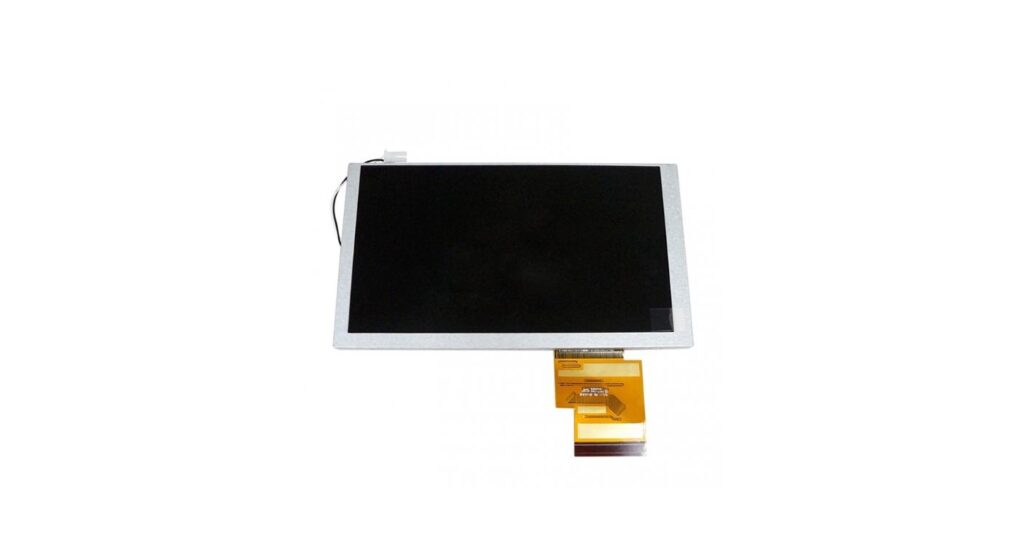
The model number shown on FaceLCD is HSD062IDW1-A02 which is a HannStar 6.2 inch TFT LCD. When downloading the specification, it is identified as HSD062IDW1-A02-0299 and this is why the search key should not be the only identifier on a purchase order.
Copy the label of the module that is already there and keep all of the suffixes. Check with the supplier that the full reference being offered is the correct one and what specification it is.
If it's the same screen, ask them to provide a written comparison. The goal is not to somehow dismiss any difference, but to make each difference evident, prior to engineering approval and purchasing commitment.
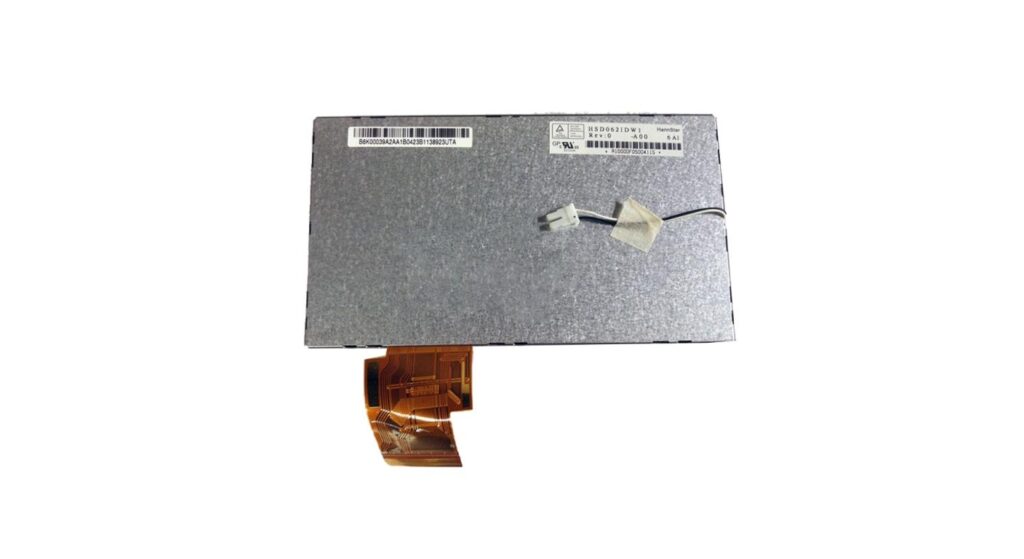
The product page features a helpful rundown, such as 800 × 480 resolution, RGB connection, and a 400-nit brightness reference. These details can be used to determine the relevance of the listing for the project.
The engineering specification is a different type of specification that addresses a different set of questions. Use it to look at connections, operating conditions, dimensions and definitions of measurements for the precise configuration proposed.
Make sure to retain the copy of the document with the inquiry. The linked specification is an older specification; enquire if the specification is relevant to the material being offered. A historical specification can be used for technical review, but does not necessarily show current inventory or production or the condition of a specific shipment.
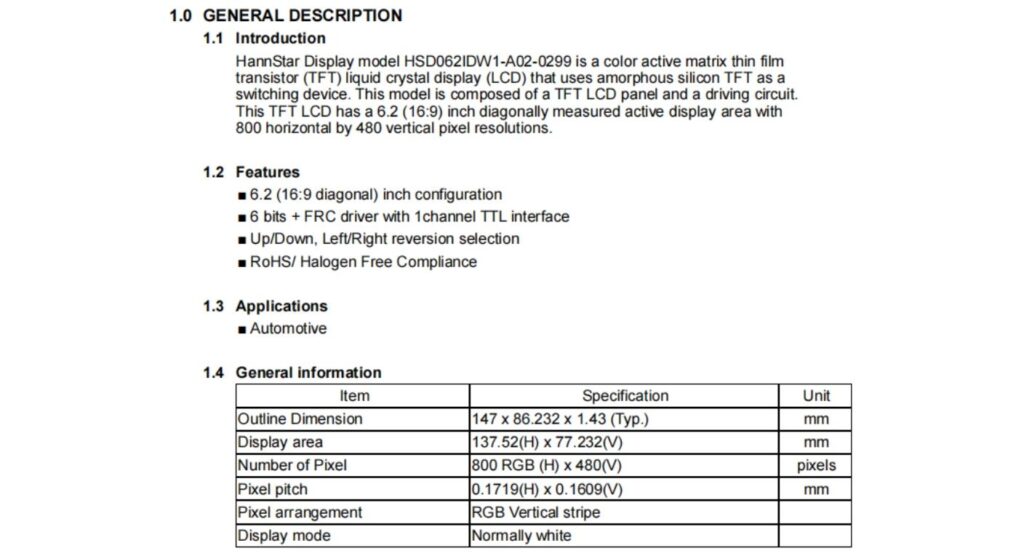
The number of pixels in the panel doesn't necessarily dictate the image size. Some source graphics may have different horizontal and vertical pixel pitches, do not assume that all do - the linked specification specifies the difference.
Test circles, icons and camera images with the desired controller set up. If changing the scaling or replacing the interface art, check if the panel geometry was already considered in the software.
Examine mechanical drawing independently. Check for visible area, outline, connector location and clearance with actual enclosure. Even if a module looks the same in the listing it must still be fit checked by drawing before it can be considered an approved fit.
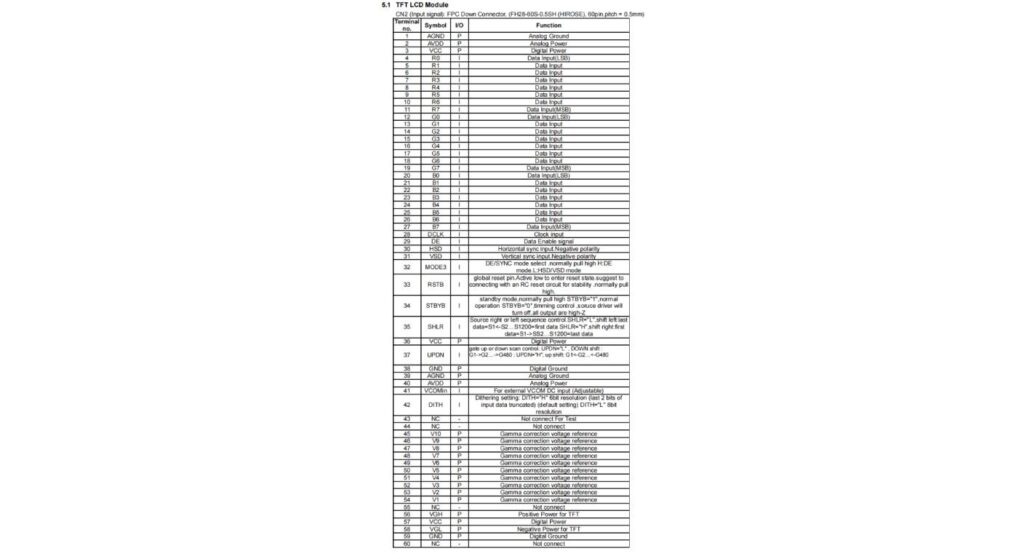
The linked specification lists a number of power rails and an actually defined power sequence. It's a critical difference from the idea that the panel is taking the one convenient external power supply and handling everything on board.
Inquire about supporting power circuitry for the proposed delivery. Decide if the supplier is providing the panel only, a panel with an adapter or a configured controller assembly.
Separate the controller input voltage from electrical requirements of the panel. Get an agreed connection drawing which has the circuit responsibility identified. Please note, do not apply a voltage from a board that is listed to the LCD connector just because it is listed in the same quotation.
The VGA to TTL LCD driver board page on FaceLCD's site states that you can look at HSD062IDW1-A among models that can be matched. It's a good inquiry path to take, but it won't get everything approved for every HSD062IDW1 suffix.
Check with the supplier about the board, cable, configuration and back-lighting that the supplier is proposing with the offered panel. Verify if the signal path(s) needed is VGA, AV output, embedded RGB output or a different signal path.
If it's already in the original equipment, determine if it needs to be left in place. Maintenance of that board and creation of a new display kit are two engineering jobs. If the line-segment has some of these properties, quote and evaluate them individually to avoid an unwanted redesign when a spare-panel request is made.
Ensure that the samples supplied accessories are checked against the agreed quotation before being powered. Take a picture of the assembly received and record identifying information that can be related to subsequent test results.
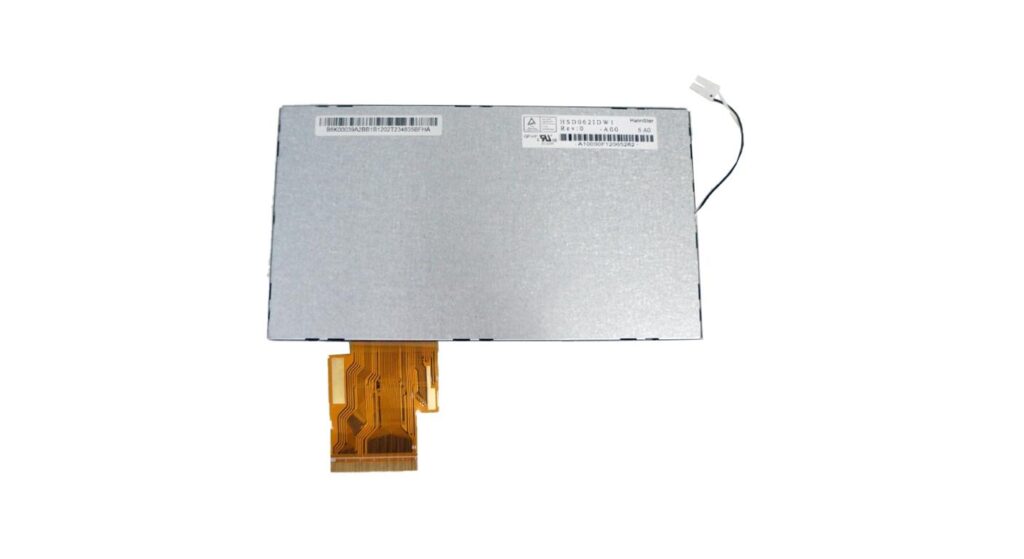
Visually check for accessible surfaces and connections, but do not disassemble parts unless necessary. Document if there are any visible damage, contamination or packaging issues prior to installation, to allow for clear discussion of where they have stemmed from.
Original module sourcing: Check out the original LCD modules available in the FaceLCD range and the condition they are offered in. Deal with the description of the product being purchased and not the brand name itself, as this does not guarantee any particular manufacturing date, previous application or packaging history.
If multiple samples are received at the same time, then provide each sample with an inspection reference. Attach that reference to photographs and test records through evaluation. This will avoid giving a correct outcome to a wrong unit, and any difference between samples is more easily investigated before an order is given to a larger production.
| Discrepancy | Recommended Action | Record Required |
| Label differs from quotation | Request configuration clarification | Supplier’s written response |
| Document covers another suffix | Confirm the applicable specification | Accepted document reference |
| Accessory is missing | Identify whether it was included | Revised packing confirmation |
| Visible damage is found | Document condition before installation | Photographs and inspection note |
| Alternative version is supplied | Review before authorizing testing | Engineering disposition |
Start with the approved controller and connections and then show a simple pattern and then load the desired interface. Write down the position of the image, the orientation of the image, the coloring of the image and the result at start up.
Measure Brightness under agreed conditions. Not every front cover or below every lighting arrangement are readable because of the websites reference value. Check the installation with the operating requirement.
If interaction is necessary, have the touch panel matching conversation in isolation. The listing for the LCD does not include a touch sensor, cover lens or touch controller. Coordinate alignment and front fit should be evaluated after the identification of your proposed touch assembly.
Use one test configuration and determine a fault. Make single changes to the board, cable, software or supply configuration. This provides the supplier with a duplicable comparison and prevents them from approving a set up that is not reproducible later.
Keep the panel acceptance, document revision, controller information and inspection results in one place. Buying needs to be able to know what made the cut and won't need to read the photos and piece together a conversation in an email.
Inquire about availability as expected cycle of order; how changes will be communicated. An online model can't be equated with the material being available for the duration of the life of the equipment.
Please get in touch with FaceLCD with panel reference, equipment application, existing controller information and quantity. Describe what is acceptable (exact replacement or reviewed alternative). This allows to distinguish a stock inquiry from the engineering to qualify another configuration.
HSD062IDW1 sourcing is best suited to a full documented assembly decision as a result of a model search. Check for suffixes, specifications, power support and controller matching prior to testing. Associate accepted sample to good purchasing records for future orders to be a reconfiguration of what worked.
Q1. What version of HSD062IDW1 does FaceLCD say?
HSD062IDW1-A02 is mentioned in the product page. The specification that it is connected to is HSD062IDW1-A02-0299, please verify the complete specification that is proposed.
Q2. Does this display have HDMI?
The description is for an RGB interface. If you want to use HDMI input then you need a conversion system that matches separately.
Q3. Is the controller board's supply voltage directly connected to the panel?
No. The input power of the board and the panel supply are not equal. Use approved configuration / connection documentation.
Q4. Are touch listed on the panel listing?
Do not assume so. Specify that any touch sensor, controller, cover lens and assembly be described separately.
Q5. Is there an alternate suffix that can be used?
Based only on observation of the differences and testing requirements. Do not apply the alternative's approval in conjunction with the model approval.