
FaceLCD Hong Kong Limited
Tel: +8615818692944
E-mail: sales@facelcd.com
Address: 13F, Buiding B, Colorful Tech Park, Guanlan High tech park, Longhua Dist, Shenzhen,China ZIP code 518100
You are here: Home > Technology >
Detailed interfaces and multiple windows, along with larger visual content, can be accommodated by a 27 inch LCD. But that space won't be useful if the image layout does not relate to how people will look at and interact with the end product.
The choosing process for custom monitor manufacturers and integrators should start with the task they'll be viewing. The panel, controller, front surface and enclosure must then all work together to do that. This way, an appealing part description becomes an easy-to-read and usable display once it is installed.
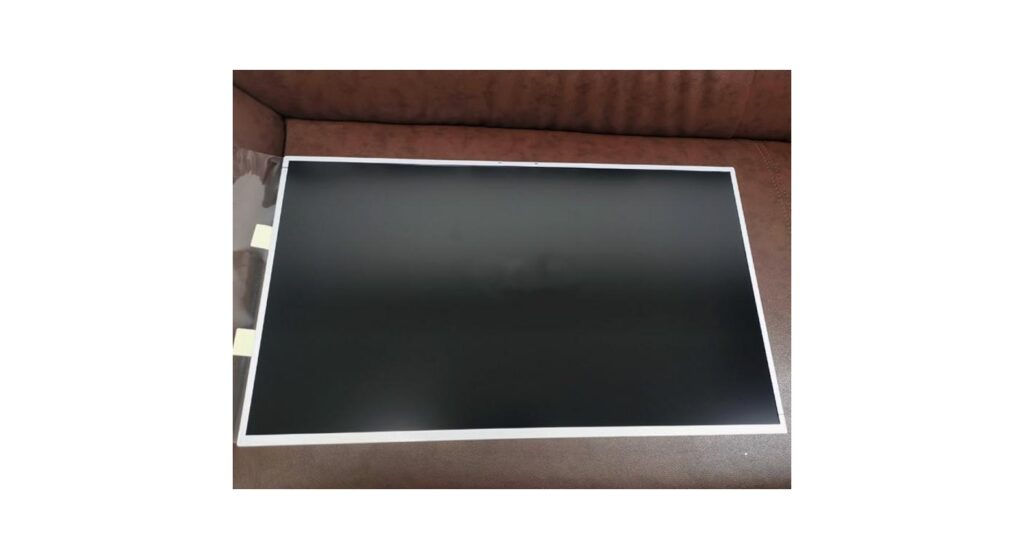
Begin with the activity that is supported by the screen. A workstation might be used to compare a number of documents, or a public information display might require conveying a small amount of information in a short time. A status read plus occasionally control actions can be combined in an equipment interface.
Even if the diagonal is the same, different content priorities are required for these uses. Determine what is important for users to know first and how much information they actually need.
The commercial display applications of FaceLCD are used for context of information and presentation applications. Use representative pages to translate desired application, don't rely on the bigger screen to clear up a fuzzy interface.

The LG LM270WR6-SPA1 is a 27-inch monitor panel that boasts a resolution of 3840 × 2160 and an eDP interface, according to FaceLCD. This offers a particular UHD solution for jobs that call for a great deal of image information.
Pixels are useful for larger density to provide more fluid text and graphics, but doesn't mean that each control or label should be smaller. Select the scaling of the interface at the viewing distance and what information must be read.
Analyze actual material at full resolution. Look at the details of the main text, secondary labels and fine image details individually. A high resolution demonstration photo can be impressive but can also mask the fact that the operating instructions and/or the controls for navigation are too small for the intended position.
| Example Resolution | Approximate Pixel Density | Relative Pixel Count |
| 1920 × 1080 | 81.6 PPI | 1.00× |
| 2560 × 1440 | 108.8 PPI | 1.78× |
| 3840 × 2160 | 163.2 PPI | 4.00× |
Set up a typical screen display in the space where the completed product will be used. Check from the closest and farthest anticipated use location, such as standing and/or sitting use as applicable.
Test to see if readers are able to see key information without having to lean forward. If the layout will be shared, view from the side to ensure no reflection or nearby equipment interferes with important areas for viewing.
Maintain a hierarchy of content that is the same in those positions. If the workstation page is to be close up, it is best to have more text and details, but if it is to be viewed from a distance, it's better to have fewer, larger pieces of information. Review and agree on the layout and installation location as a group, to ensure that an interface won't be jeopardized by changing the installation location at a later time.
The dimensions of the complete assembly as described by the 27” are not fully specified. Get a mechanical drawing of the chosen panel and see if it fits within the outline and thickness of the proposed housing, and if the connectors and mounting features match.
Take the enclosure review of controller space, cable access, backlight connections etc., into account. The final product requires more space than what can be seen in the picture.
Specify the panel's support and maintenance procedures. A bare panel does not necessarily have the attributes of a finished monitor. Identify the planned contact & support locations prior to the design of brackets or the development of a production assembly sequence.
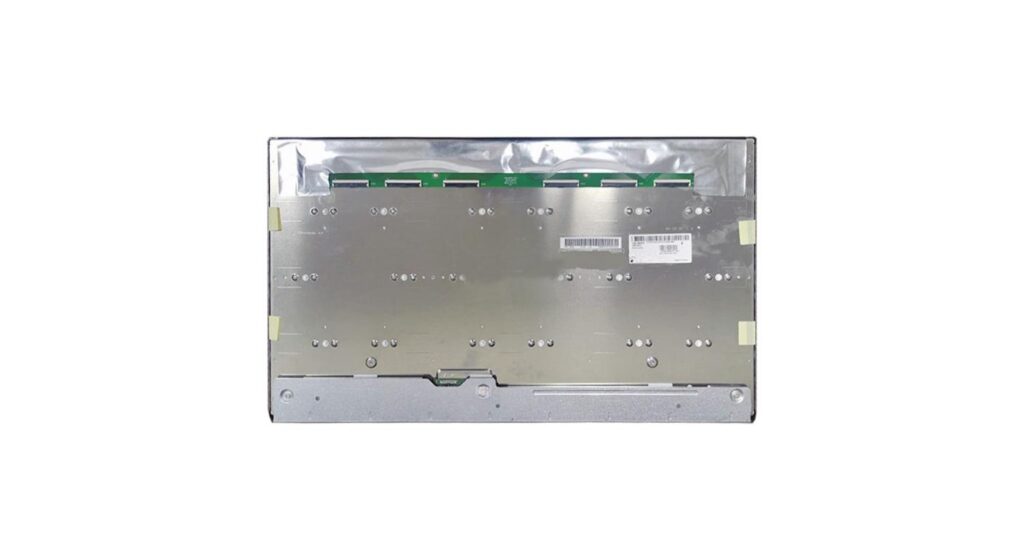
Determine the visual properties that are important in the application. Use content that reflects the work that is being performed—fine text, grayscale transitions, dark backgrounds and colorful images show different aspects of performance.
Check brightness levels under lighting conditions and not just at maximum brightness. The balance of a screen meant for long, up-close viewing can differ from that of another screen that is meant for viewing in a bright environment.
If colour accuracy is important, discuss the method of measurement and conditions to be achieved. Resolution and a professional description of the product does not mean calibration or qualification for product use. Similarly, in the case of a proposed component for a medical project, it is not necessarily true that the component can be used for diagnostic interpretation on its own.
When selecting the controller, be sure to understand the required operation and the source of input. The panel's eDP port is not the same as a monitor's HDMI or DisplayPort input that may be available on a finished monitor.
The conversion and controlling scheme can be discussed based on FaceLCD's LCD driver board solutions. Ask for the information on the exact panel, resolution, refresh rate, the cable used, power configuration, etc.
Isolate input processing from panel performance in the visible panel. FaceLCD's HDMI controller board guide outlines the need for full display path when it comes to HDR. Do not expect a controller label to mean that the final product will have certain functions.
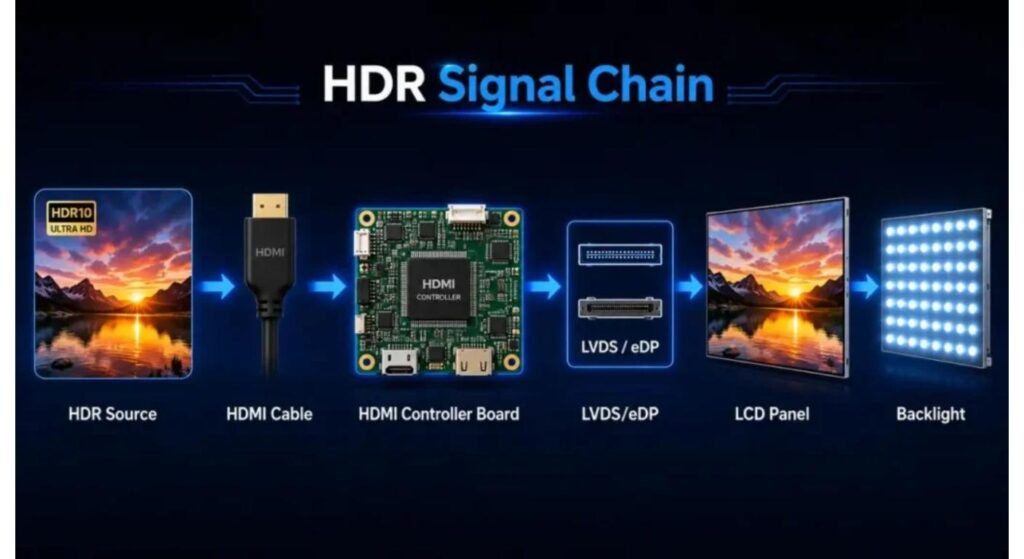
You change the viewing set-up with a protective front. Discuss the material, spacing, surface treatment and mounting to the panel rather than add to the panel after the visual check.
If necessary to touch, consider it as an extra piece of work. Make sure the sensor, controller, sensing area, and software are all compatible for the assembly you are looking to use; if the LCD is listed without touch, then it is not included.
Assess installed sample with the enclosure closed and the proposed ventilation system. Inspect for reflections, image appearance, connector access and continued operation at the agreed upon conditions. Document light levels and ambient lighting to allow re-presentation of the evaluation by other viewers rather than comparisons with different presentations.
Also inspect the accessibility to control and/or connection points after installation. Constraints to the service may be different if the product is to be wall-mounted versus desk-mounted. Commit enclosure tooling or production drawings, after reviewing cable insertion/removal access and the planned cleaning process.
Approval should indicate the panel reference, controller revision, firmware, the cables, power components and front assembly. Maintain the viewings conditions and accepted interface pages with the test record.
Before designing the product, discuss the supply situation and the need for “repeat orders”. It is NOT assumed a listed panel is guaranteed for life of the planned equipment. Inquire about proposed substitutions and/or revisions and how they will be reviewed.
With the application, content examples, viewing arrangement, enclosure drawing and required input source please contact FaceLCD. This provides the supplier with a good foundation on which to review the panel and related components prior to sample purchase.
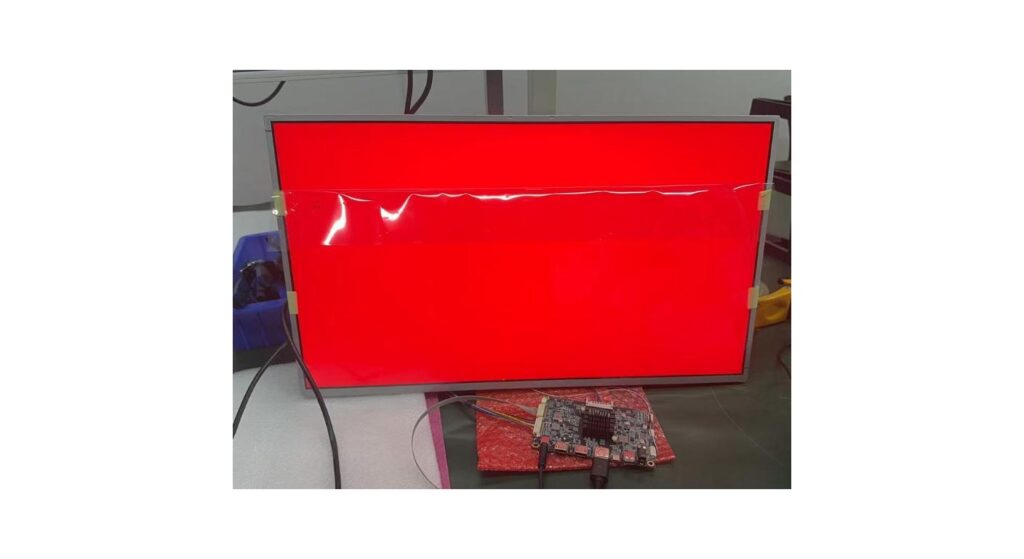
In the end, a successful 27 inch LCD project will relate the image on the screen to how people will view the product. Accept the size, location of installation, quality of pictures and the entire design as a whole. Leaving the judgments recorded will provide a concise route from choosing the panel to a reproducible final display.
Q1. Are all 27” LCD's 4K?
No. Diagonal size isn't an indication of resolution. Make sure it is the same model, the LM270WR6-SPA1 FaceLCD that is referred to states 3840 × 2160.
Q2. Is there HDMI inputs and stand?
Do not assume so. A bare panel isn't a finished monitor, however, without additional parts to complete it. Check the scope of supply quoted.
Q3. Will 4K interface make an interface easier to read?
No, text size, scaling, lighting and viewing distance also play a part in readability. Consider pages in the target slot that represent the target.
Q4. Is there a way to get touch on a 27" LCD screen?
It needs to be separately configured. Test for component availability, mechanical fit, controller support and the front construction planned.
Q5. What is to be kept on file upon approval?
Keep the full assembly set-up, drawing, software details and acceptance results. Add the content layout and viewing conditions approved by you.