
FaceLCD Hong Kong Limited
Tel: +8615818692944
E-mail: sales@facelcd.com
Address: 13F, Buiding B, Colorful Tech Park, Guanlan High tech park, Longhua Dist, Shenzhen,China ZIP code 518100
You are here: Home > Technology >
Hospital equipment manufacturers should not select a touch screen only by its diagonal size. Cleaning procedures, glove use, liquid exposure, enclosure dimensions, display readability, electrical interfaces, and expected service life can all affect the final configuration.
FaceLCD supplies custom LCD and touch screen assemblies for medical equipment manufacturers. Depending on the project, the solution can include a TFT-LCD module, capacitive or resistive touch panel, custom cover glass, FPC, connector, bonding, touch controller, and LCD driver board support.
Send your equipment drawing and technical requirements to FaceLCD for configuration review, sample planning, and a custom quotation.
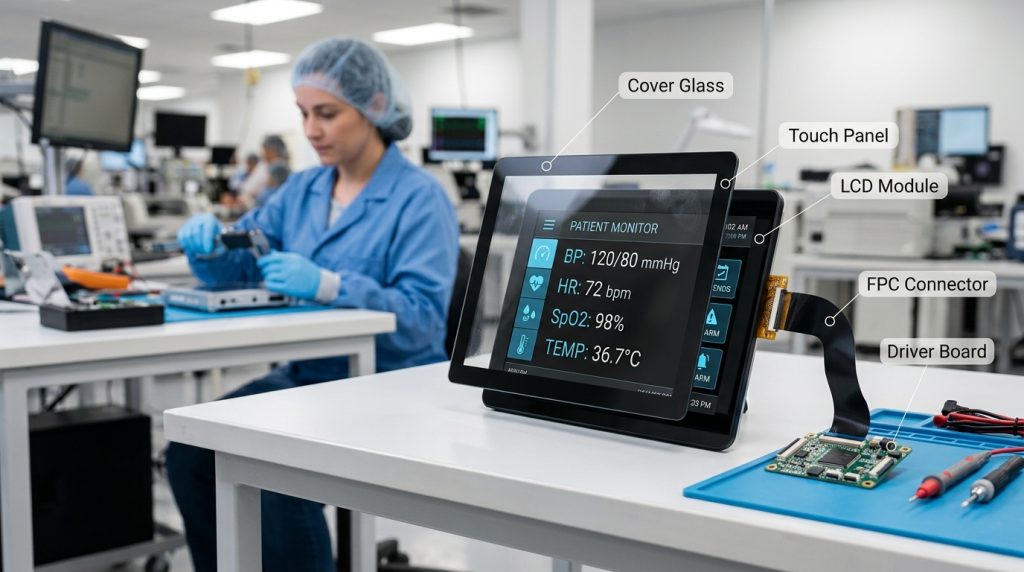
FaceLCD supports OEM and ODM display projects for hospital, laboratory, diagnostic, monitoring, and other medical equipment. Instead of supplying a generic touch panel without considering the final device, FaceLCD can review the display, touch technology, front glass, cable layout, interface, and mechanical fit as one integrated project.
The final configuration should be based on the equipment’s operating environment, user interaction, enclosure design, mainboard, and qualification requirements.
Send your drawing for engineering review before finalizing the enclosure or mainboard design.
The same touch display configuration will not suit every type of hospital equipment. A patient monitor, laboratory analyzer, handheld diagnostic device, and medical cart may have different display sizes, user inputs, viewing conditions, and cleaning requirements.
| Equipment Type | Typical Interaction | Important Display Inputs | Important Touch Inputs |
|---|---|---|---|
| Patient monitor | Frequent finger operation | Clear data presentation, wide viewing angle, stable backlight | Smooth front surface, glove response, liquid handling |
| Laboratory analyzer | Repeated menu and value entry | Suitable resolution, readable user interface | Glove or stylus input, cleaning compatibility |
| Ventilator or anesthesia equipment | Continuous operation | Reliability, visibility, interface stability | Controlled touch response and false-touch prevention |
| Medical cart or workstation | Multi-user operation | Larger screen, mounting fit, wide viewing angle | Multi-touch, smooth cover glass, easy cleaning |
| Handheld diagnostic device | Compact finger or stylus input | Small size, low power, mechanical fit | Compact FPC, suitable touch technology |
| Imaging or surgical equipment | Detailed visual interaction | Application-specific optical and color requirements | Touch integration based on the workflow |
FaceLCD’s broader TFT-LCD displays for medical equipment page provides additional application context.
“Easy to clean” is not a complete engineering specification. The display supplier needs to understand how the equipment will be cleaned, which chemicals may be used, how often cleaning occurs, and whether liquid can collect around the screen edges.
Before selecting the cover glass, printing, adhesive, or sealing structure, provide the following information:
Cleaning-agent compatibility should be tested for the selected materials and assembly. It should not be assumed from a generic product description.
A custom cover glass can help create a smooth and consistent front surface while matching the equipment enclosure. Important inputs include:
The touch panel alone does not create a sealed or cleanable front assembly. The cover glass, adhesive, gasket, bezel, enclosure, and assembly process must work together.
Requirements such as an IP-rated front surface, resistance to specific cleaning chemicals, or reduced liquid entry must be confirmed at the complete equipment level. FaceLCD should review the glass and touch assembly together with the customer’s housing design.
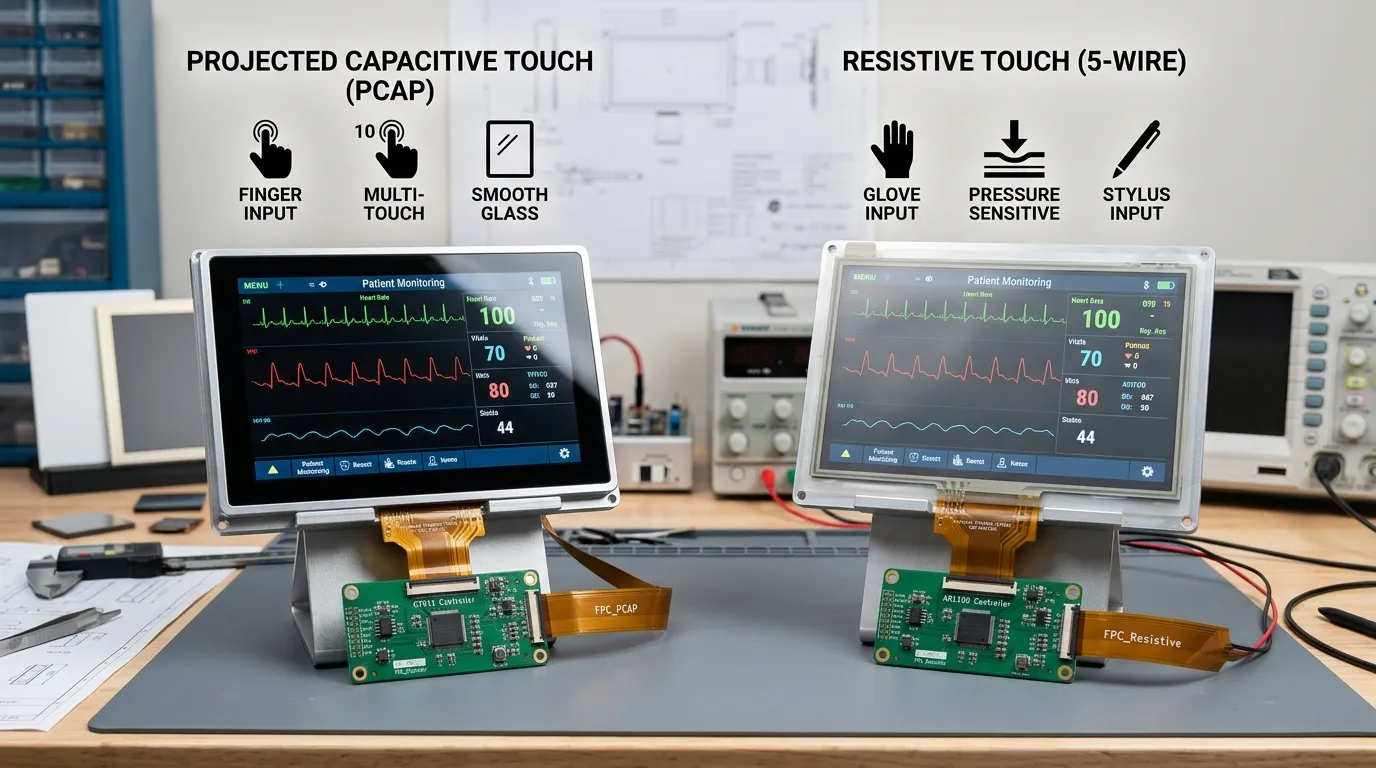
FaceLCD supplies both capacitive touch panel options and resistive touch panel options. The correct choice depends on the equipment workflow rather than appearance alone.
| Decision Point | Capacitive Touch | Resistive Touch |
|---|---|---|
| Primary input | Finger and configurable glove input | Finger, glove, stylus, or pressure |
| Multi-touch | Commonly available | Usually not the main advantage |
| Front appearance | Smooth glass-front design | Pressure-sensitive film surface |
| Gesture support | Suitable for modern multi-touch interfaces | Suitable for basic buttons and value entry |
| Glove operation | Glove type and thickness must be defined and tested | Pressure operation is naturally suitable for many gloves |
| Liquid behaviour | Controller, firmware, glass, and grounding must be validated | Sealing and surface behaviour still require project testing |
| Stylus operation | Requires a compatible stylus and configuration | Suitable for a standard pressure stylus |
| Typical fit | Modern glass-front medical interfaces | Simple controls, gloves, stylus, or legacy systems |
Capacitive touch is often selected for modern glass-front interfaces, gesture control, and multi-touch operation. Resistive touch can be suitable when the operator needs pressure input, a standard stylus, or straightforward glove operation.
Statements such as “must work with gloves” or “must work when wet” are too broad for engineering selection. The exact operating conditions should be included in the project specification.
Tell FaceLCD whether the screen may encounter:
Touch performance can be affected by the touch controller, firmware settings, cover glass thickness, grounding, electrical noise, cable routing, and the equipment enclosure.
A capacitive touch panel may require project-specific tuning to support thick gloves or liquid exposure. Final performance should be validated after the display is installed in the complete equipment rather than tested only as a separate panel.
The touch panel must be matched with an LCD that fits the equipment enclosure and presents the required information clearly. FaceLCD can review both the display module and touch assembly.
Displays used for diagnostic imaging may require specialized grayscale, color, calibration, or application-specific performance. A general medical touch display should not automatically be treated as a diagnostic monitor.
The LCD and touch panel can be assembled using air bonding or optical bonding, depending on the optical, mechanical, and commercial requirements.
Air bonding leaves an air gap between the LCD and touch panel. It can be suitable when the project does not require the optical or structural advantages of full optical bonding.
Optical bonding fills the gap between the LCD and touch panel with a transparent bonding material. Depending on the project, it may help reduce internal reflection and improve the integrated structure.
The correct method should be selected after reviewing the screen size, viewing environment, cover glass, enclosure, expected impact, and cost target.
Electrical compatibility must be confirmed before sample production. FaceLCD can review the LCD interface, touch interface, controller, connector, pin definition, and optional driver board.
FaceLCD’s custom touch panel solutions include project review for the LCD, touch panel, cover glass, FPC, connector, bonding, and interface requirements.
Medical equipment projects may require long service life, repeat production, stable touch operation, and documentation for system qualification. These requirements should be discussed before the display configuration is finalized.
Grounding, shielding, cable routing, power noise, nearby electronics, and enclosure materials can affect capacitive touch operation. The touch panel should therefore be evaluated in the complete system.
Tell FaceLCD about nearby motors, switching power supplies, high-frequency circuits, long cables, metal housings, and other possible noise sources. This information can help with controller selection, grounding, shielding, and sample testing.
The equipment manufacturer should define the intended use, target market, and applicable standards. FaceLCD can then confirm which component-level drawings, specifications, test documents, or certificates are available for the selected configuration.
Compliance of the finished medical equipment depends on the complete system, including the enclosure, power supply, electronics, software, cables, grounding, and final assembly. A component supplied for medical equipment should not automatically be presented as certification of the finished device.
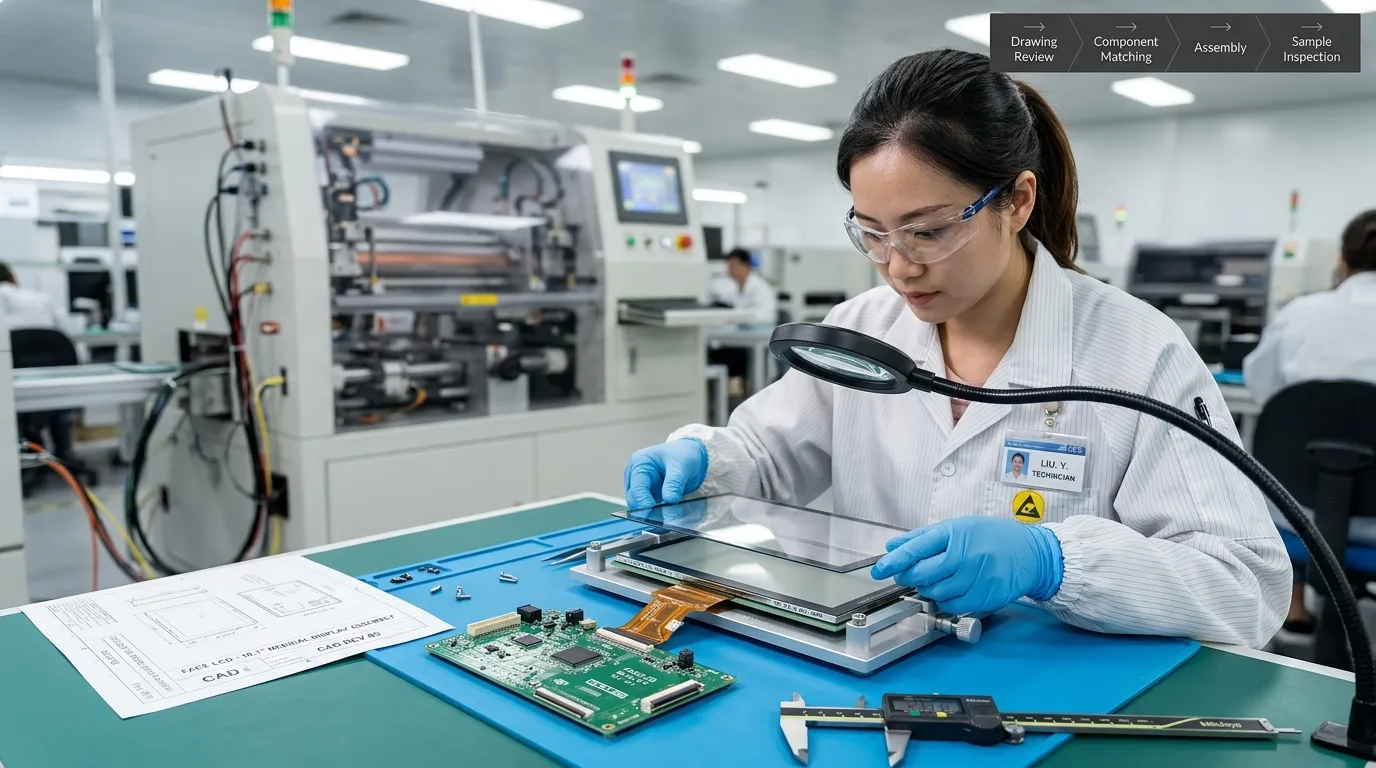
The customer provides the equipment application, screen size, drawing, touch method, cleaning process, interface, operating environment, compliance target, and expected quantity.
FaceLCD reviews the LCD model, touch technology, cover glass, bonding, controller, FPC, connector, interface, and driver board requirements.
The proposed configuration may include a drawing, key specifications, sample plan, tooling requirements, and commercial quotation.
The customer evaluates mechanical fit, display output, touch response, glove operation, liquid behaviour, cleaning compatibility, EMC behaviour, thermal performance, and user-interface operation.
After sample approval, the project can proceed to pilot production, inspection confirmation, packaging planning, and repeat orders.
FaceLCD has supplied custom display solutions since 2009 and operates factories in Shenzhen and Dongguan. Its product portfolio includes TFT-LCD, STN, FSTN LCM, OLED, capacitive touch panels, resistive touch panels, driver boards, monitors, and all-in-one LCD products.
View the FaceLCD display production process and learn more about FaceLCD.
Providing complete project information helps FaceLCD recommend a more suitable configuration and prepare a more accurate quotation.
| Specification Area | Information to Provide |
|---|---|
| Application | Equipment type, intended use, and target market |
| LCD | Screen size, active area, resolution, brightness, viewing angle, and orientation |
| Touch | Capacitive, resistive, or undecided; number of touch points; finger, glove, or stylus input |
| Glove operation | Glove material, thickness, number of layers, and dry or wet condition |
| Liquid exposure | Water, saline, cleaning residue, gel, or other fluids |
| Cover glass | Dimensions, thickness, printed border, logo, cut-outs, shape, and surface treatment |
| Cleaning | Chemical name, concentration, contact time, and cleaning frequency |
| Bonding | Air bonding, optical bonding, or recommendation required |
| Electrical interface | Display interface, touch interface, voltage, connector, pinout, mainboard, and operating system |
| Mechanical integration | Equipment drawing, mounting method, bezel, thickness limit, and cable route |
| Environment | Operating temperature, storage temperature, humidity, vibration, and shock |
| Compliance | Target standards, market, and required component documentation |
| Commercial requirements | Sample quantity, annual forecast, expected production life, and project schedule |
Send your equipment drawing, touch requirements, cleaning conditions, interface details, and expected order quantity to request a custom medical touch display quotation.
Yes. Depending on the project, FaceLCD can customize the LCD size, touch technology, cover glass, printed border, FPC, connector, interface, bonding, and driver board support. The final configuration should be based on the equipment drawing and operating requirements.
Glove operation depends on the touch technology, glove material, glove thickness, cover glass, controller, firmware, grounding, and equipment environment. Provide the exact glove specification so the required performance can be reviewed and tested.
Liquid operation is project-dependent. The type of liquid, touch controller, firmware, glass, grounding, enclosure, and electrical noise must be considered. Final operation should be validated in the complete equipment.
Capacitive touch is suitable for modern glass-front interfaces, finger operation, gestures, and multi-touch. Resistive touch can be suitable for pressure input, standard stylus operation, and straightforward glove use. The best choice depends on the workflow.
FaceLCD can support integrated projects that include the LCD, touch panel, custom cover glass, bonding, FPC, connector, interface matching, and driver board requirements. Availability depends on the selected display and system design.
Provide the equipment type, mechanical drawing, screen size, resolution, touch method, glove and liquid requirements, cover glass design, cleaning process, electrical interfaces, operating environment, standards, sample quantity, annual forecast, and project schedule.
Certification and test documentation depend on the selected components and project. The equipment manufacturer should provide the target standards and market requirements so FaceLCD can confirm the available component documentation and support scope. The finished medical equipment must be evaluated as a complete system.
Cleaning compatibility should be reviewed using the exact chemical, concentration, contact time, cleaning frequency, and selected materials. Project-specific testing may be required before the design is approved.
FaceLCD can review your LCD, touch technology, cover glass, bonding, interface, cable layout, and driver board requirements before preparing a sample and quotation.
Send the following information:
Request a quote or send your drawing to FaceLCD for engineering review.