
FaceLCD Hong Kong Limited
Tel: +8615818692944
E-mail: sales@facelcd.com
Address: 13F, Buiding B, Colorful Tech Park, Guanlan High tech park, Longhua Dist, Shenzhen,China ZIP code 518100
You are here: Home > Technology >
A reliable kiosk display screen must do more than show clear images. It needs to fit the enclosure, respond accurately to repeated touch, connect correctly to the host system, and operate consistently in its intended environment.
FaceLCD supplies configurable display subsystems for self-service terminals, information kiosks, ticket machines, check-in equipment, access-control terminals, and other public-facing systems. Depending on the project, the solution may include an LCD module, touch panel, custom cover glass, touch controller, LCD driver board, cables, and an open-frame mounting structure.
Send FaceLCD your kiosk drawing, target screen size, touch requirement, interface, operating environment, and expected quantity to receive a suitable configuration recommendation.
Different kiosk designs require different levels of display integration. Some equipment manufacturers need only an LCD module, while others need a complete open-frame touchscreen assembly that can be installed directly inside the kiosk enclosure.
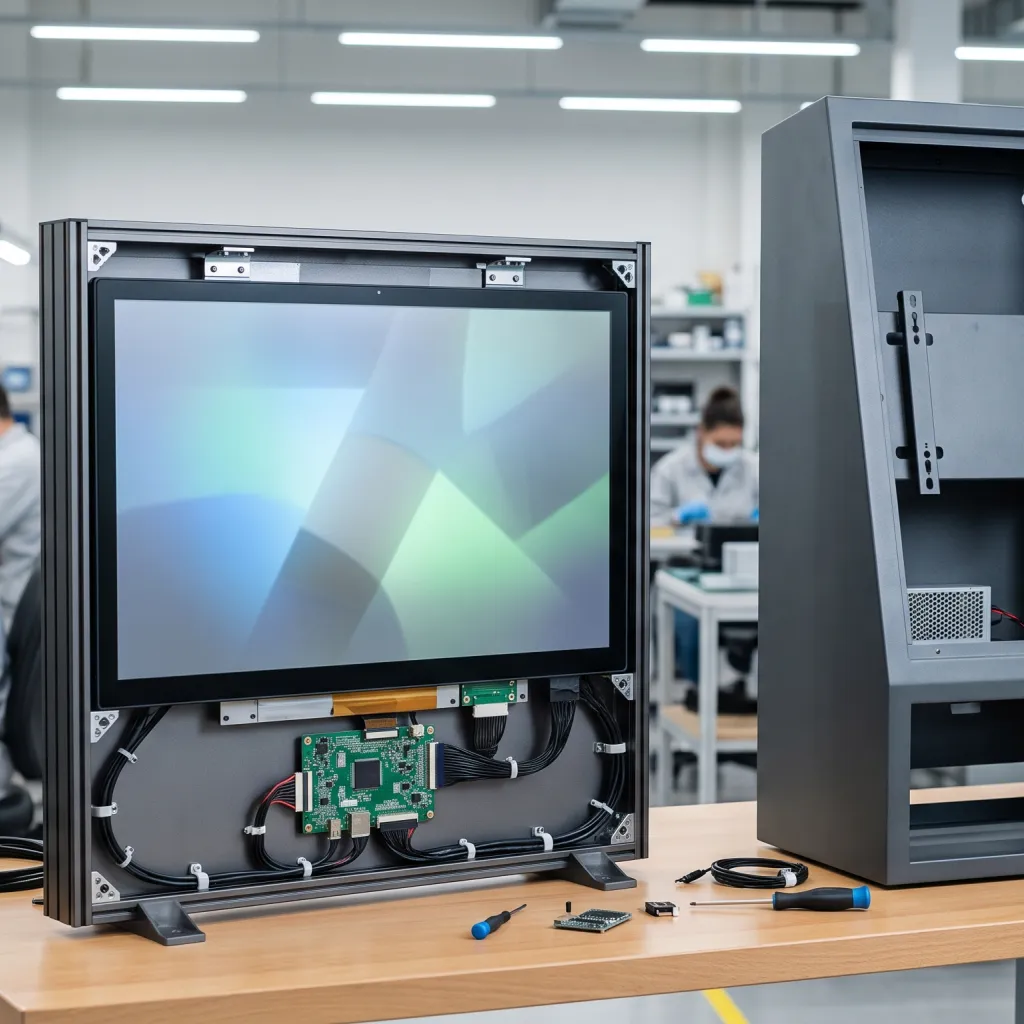
A standalone TFT-LCD module is suitable when the buyer controls the enclosure, controller system, mounting structure, and final assembly.
FaceLCD can review key requirements such as:
This option gives equipment manufacturers greater control over the mechanical design, but it also requires careful matching between the LCD panel, host board, cables, and enclosure.
FaceLCD can combine an LCD module with a capacitive or resistive touch panel.
A capacitive touchscreen is often selected for modern public kiosks that require a glass-front appearance, multi-touch operation, and responsive finger input. A resistive touchscreen may be more appropriate where pressure input, a stylus, or specific glove operation is required.
Available project considerations may include:
The touch panel, cover glass, controller, and LCD should be evaluated as one assembly. A glass thickness or controller setting that works for one application may not work correctly in another.
An open-frame monitor is suitable when the buyer wants a more integrated display unit for installation inside a kiosk, ticket machine, payment terminal, control cabinet, or self-service device.
The assembly can include:
Before sampling, the mounting holes, front-panel opening, available installation depth, cable route, driver-board position, and touch alignment should be reviewed against the kiosk enclosure.
FaceLCD can also prepare a matched set of components instead of supplying one isolated part. This can reduce the risk of receiving an LCD, touch panel, controller, or cable that does not work correctly with the rest of the system.
| FaceLCD Deliverable | Best Fit | Buyer Still Provides | Key Details to Confirm |
|---|---|---|---|
| Bare LCD module | Highly customized equipment | Driver system and mechanical integration | Panel interface, cable, power, backlight |
| LCD with touch assembly | Custom kiosk front panel | Host board and enclosure | Glass, touch IC, FPC, active area |
| Open-frame monitor | Faster enclosure integration | Kiosk shell and computer | Mounting, input, power, touch interface |
| Matched display kit | OEM or ODM display subsystem | Final enclosure and application hardware | Complete drawing and operating conditions |
Public kiosks may be touched hundreds or thousands of times during normal operation. Durability therefore depends on the full display structure, not one marketing label such as “rugged” or “industrial grade.”
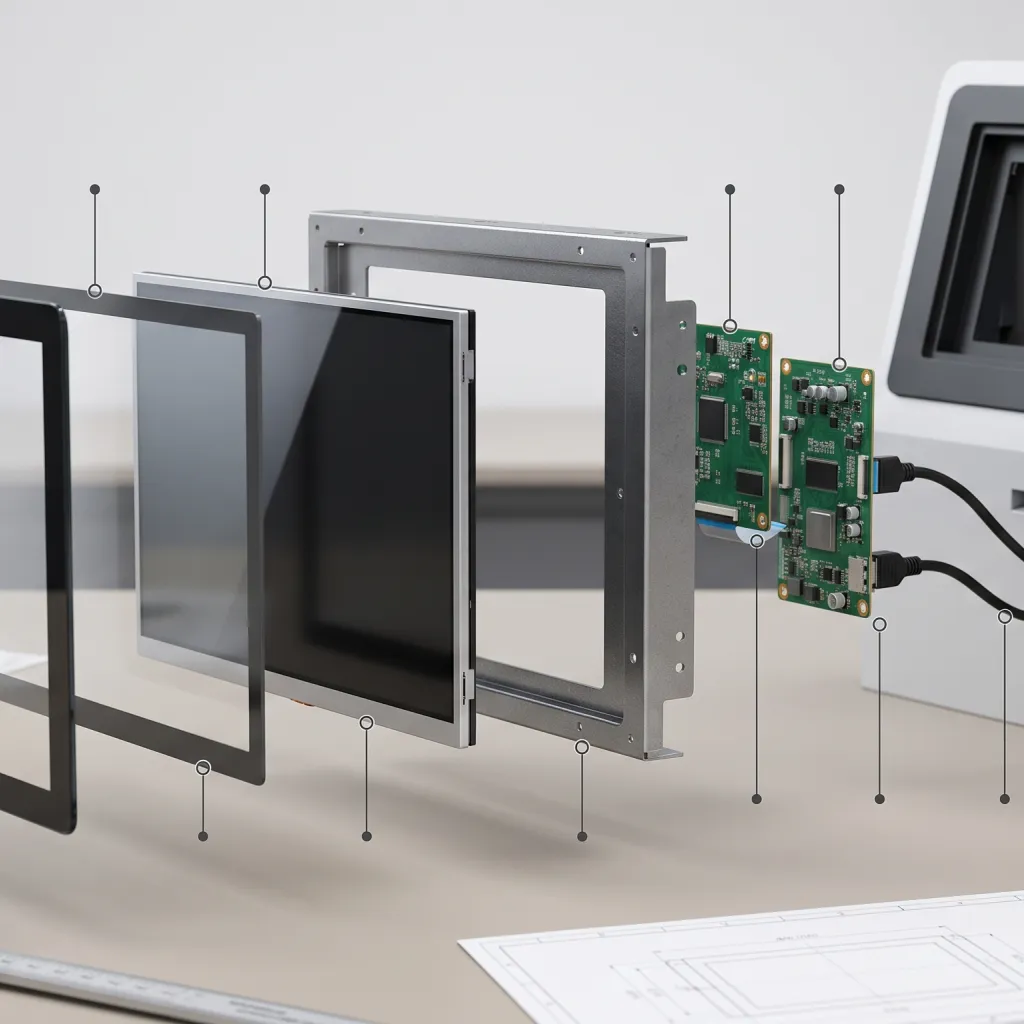
The front surface must be selected according to how people will use and clean the kiosk.
Important factors include:
Impact resistance, glass hardness, chemical resistance, or vandal-resistance ratings should not be assumed. These requirements must be defined and verified for the selected structure.
A kiosk installed inside a retail store has different readability requirements from one positioned near a bright entrance or window.
The project review should consider:
Using the highest available brightness is not always necessary. The correct target should be based on the installation location, thermal limits, power consumption, and expected operating schedule.
Mechanical mismatches can delay the project even when the display works electrically.
Before the kiosk enclosure is finalized, confirm:
The final screen drawing should be reviewed before enclosure tooling or volume production begins.
Public kiosks may operate for extended periods with limited maintenance access. The buyer should therefore define:
These details help FaceLCD recommend a more appropriate panel, backlight, driver-board, and mounting configuration.
The same display structure should not be used automatically for every kiosk project.
| Kiosk Application | Display Priorities | Likely FaceLCD Starting Point |
|---|---|---|
| Retail self-service kiosk | Responsive touch, clean glass front, clear product content | Capacitive touch display or open-frame monitor |
| Ticket or queue terminal | Repeated use, clear prompts, secure mounting | Open-frame touchscreen monitor |
| Access-control kiosk | Compact layout, reliable status display, touch or non-touch input | LCD-touch assembly or open-frame monitor |
| Public-information terminal | Wide viewing angle, readability, flexible orientation | Commercial TFT-LCD or open-frame display |
| Check-in kiosk | Accurate touch, enclosure fit, space for peripherals | Custom touchscreen assembly |
| Semi-exposed entrance kiosk | Higher readability and defined environmental protection | Project-specific protected display configuration |
FaceLCD supplies the display subsystem. Complete kiosk enclosures, payment systems, printers, scanners, operating software, or network infrastructure should be treated as separate project components unless otherwise confirmed.
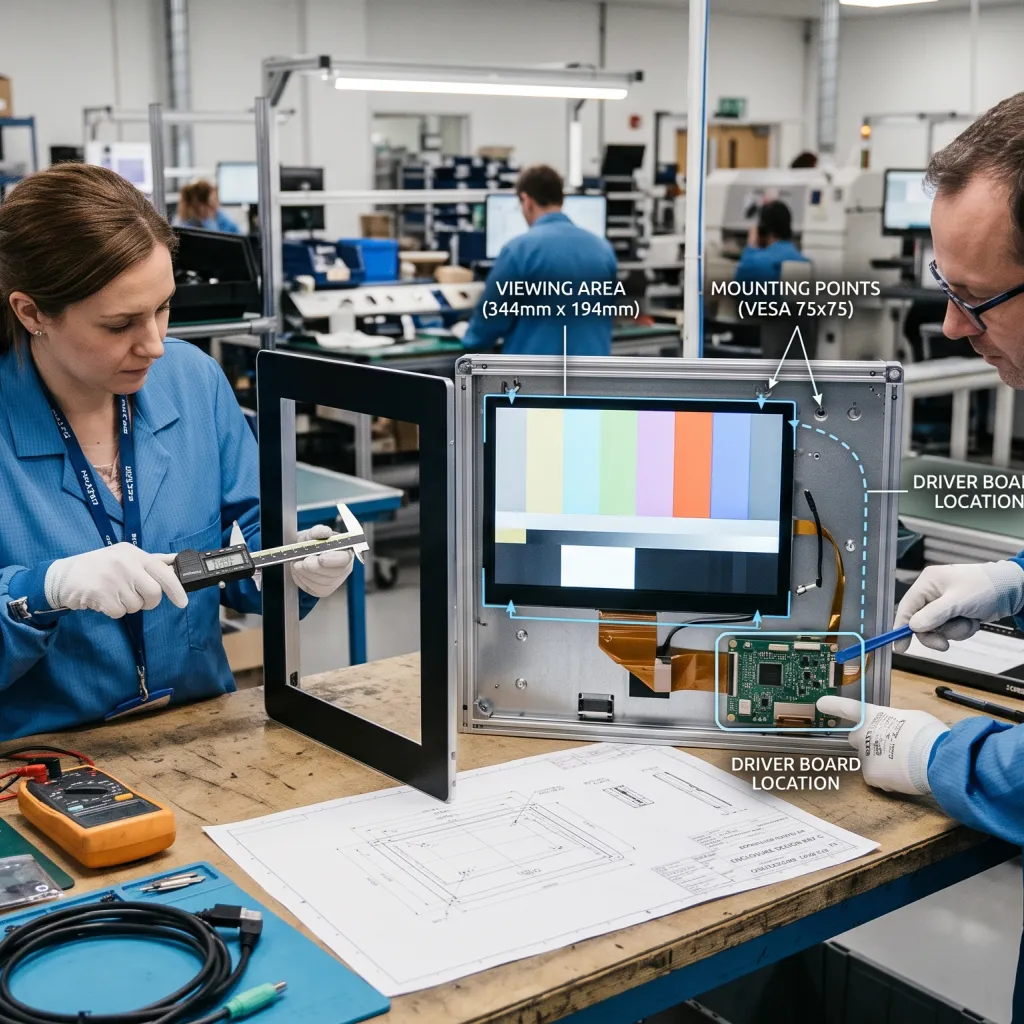
The project begins with the actual kiosk application rather than a generic screen model.
Useful information includes:
FaceLCD can review the available kiosk drawing or mechanical information to check:
This review helps identify mechanical conflicts before a sample is assembled.
The LCD panel, touch panel, touch controller, driver board, cables, and power requirements must work together.
FaceLCD can evaluate:
After the technical details are confirmed, a sample configuration can be prepared for evaluation.
The sample should represent the intended structure as closely as possible, including the selected touch panel, glass, cables, driver board, and mounting arrangement.
Before production, the buyer should verify:
Any required changes should be reflected in the final drawing and approved configuration.
After sample approval, both sides should confirm:
Providing complete project information allows FaceLCD to recommend a more suitable kiosk display screen and avoid unnecessary revisions.
FaceLCD has produced LCD-related products since 2009 and operates manufacturing facilities in Shenzhen and Dongguan.
Its product scope includes:
FaceLCD serves commercial display, security, industrial control, medical, automotive, smart-home, AI, and inspection-equipment applications. The company also supplies customers in more than 40 countries.
For kiosk projects, the main advantage is the ability to evaluate multiple parts of the display subsystem together. Instead of selecting the LCD, touch panel, glass, controller, driver board, cables, and frame independently, buyers can submit the complete requirement for technical matching and sample review.
Relevant project photographs, drawings, test records, datasheets, or inspection information should be requested when they are needed for supplier approval.
Yes. The screen size, LCD model, touch panel, cover glass, printing, FPC, controller, driver board, cables, and mounting details can be reviewed according to the project.
Yes. FaceLCD can prepare a matched display subsystem when the technical requirements, host interface, enclosure, and power conditions are provided.
Choose a bare LCD module when your team manages the controller and mechanical integration. An open-frame monitor is usually more suitable when you need a more complete unit for direct installation inside the kiosk enclosure.
Custom cover-glass dimensions, border printing, transparent areas, and logo positions can be discussed. The glass structure must also be matched with the selected touch panel and controller.
Capacitive touch is common for responsive glass-front kiosks. Resistive touch may be useful for pressure, stylus, or particular glove-input requirements. The correct option depends on the users and environment.
Yes. Send the front opening, mounting points, active area, internal depth, cable route, and board position so the display structure can be checked before sampling.
Provide the application, size, resolution, touch requirement, cover glass, interface, voltage, enclosure drawing, operating environment, sample quantity, and estimated production volume.
Yes. A sample can be evaluated for image output, touch response, brightness, glass appearance, cable fit, mounting alignment, and operation inside the intended enclosure.
Send FaceLCD your kiosk enclosure drawing, preferred screen size, touch requirement, host interface, installation environment, expected operating schedule, sample quantity, and production estimate. FaceLCD can review the LCD, touch panel, cover glass, controller, driver board, cables, and mounting requirements before recommending a sample configuration.
Request a kiosk display quote and send your drawing for technical review.