
FaceLCD Hong Kong Limited
Tel: +8615818692944
E-mail: sales@facelcd.com
Address: 13F, Buiding B, Colorful Tech Park, Guanlan High tech park, Longhua Dist, Shenzhen,China ZIP code 518100
You are here: Home > Technology >
Choosing a touch screen controller IC affects far more than touch-point count. The controller must work with the sensor pattern, cover glass, LCD, FPC, mainboard, operating system, housing, power design, and actual operating environment. A controller that performs well on a test bench may still produce missed input, ghost touches, edge errors, or driver problems after installation.
FaceLCD supports OEM projects involving custom capacitive touch panels, cover glass, FPC routing, connectors, controller interfaces, LCD matching, bonding, and sample validation. Rather than selecting GOODIX, ILITEK, or EETI by brand name alone, our team reviews the complete application before recommending a suitable controller configuration.
Send FaceLCD your LCD drawing, mainboard information, cover-glass requirements, and operating conditions to request a controller recommendation and quotation.
A controller IC is only one part of a complete touch-display assembly. FaceLCD can help coordinate the mechanical, electrical, and interface requirements around it.
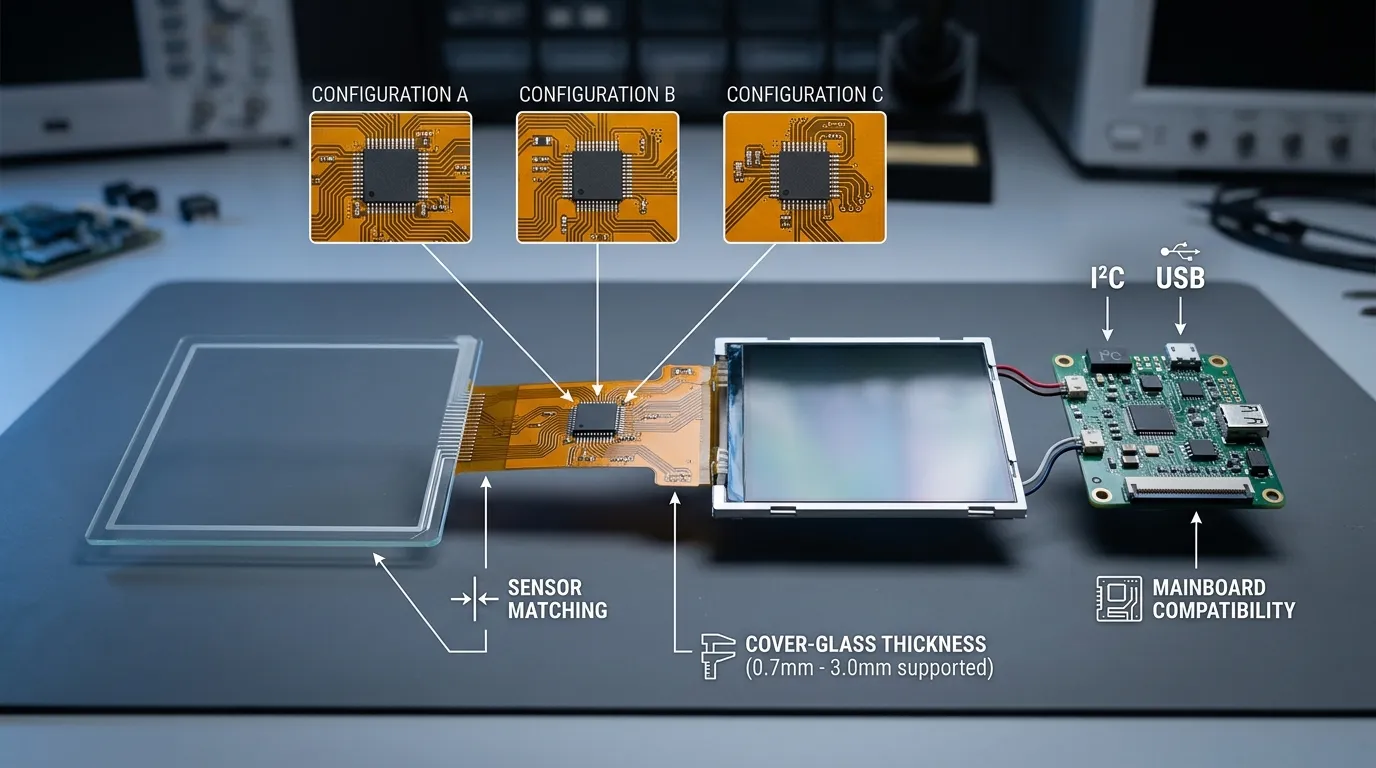
FaceLCD can review and customize:
For projects using a glass-on-glass sensor, our related guide explains the construction and application considerations of a G+G capacitive touch screen.
The suitable controller depends on the touch size, sensor pattern, required touch points, host board, operating system, and environmental conditions.
Depending on the project, the design may use:
FaceLCD can evaluate GOODIX, ILITEK, EETI, or another suitable controller option when project specifications and current component availability support it. This does not imply that FaceLCD is an authorized partner of every brand or that every controller model is available for every project.
Before mass production, the project should pass through drawing confirmation, sample preparation, interface verification, and testing with the customer’s final hardware.
The review may include:
For projects requiring a complete screen unit rather than a separate touch panel, controller selection can also be considered as part of an embedded touch-screen monitor integration.
GOODIX, ILITEK, and EETI each offer multiple controller families. The correct choice depends on the exact model and its compatibility with the complete design.
A practical selection process should follow this order:
| Project Requirement | Why It Affects Controller Selection | Information to Provide |
|---|---|---|
| Screen and active-area size | Determines sensor-channel and size support | LCD and touch drawings |
| Sensor structure | Controllers may support different electrode and stack designs | G+G, GFF, OGS, or other structure |
| Cover-glass thickness | Thick glass reduces the detected touch signal | Glass material and thickness |
| Interface | Must match the host board and software architecture | I²C, USB, SPI, UART, or other |
| Operating system | Driver and integration requirements vary | Windows, Linux, Android, or another OS |
| Touch-point count | Affects controller capability and user-interface design | Required number of simultaneous touches |
| Environment | Water, gloves, EMI, temperature, and metal housing affect tuning | Actual operating conditions |
| Product lifecycle | Component changes can require redesign and requalification | Expected production period and volume |
There is no universal winner between GOODIX, ILITEK, and EETI. Each brand offers several models with different screen-size ranges, interfaces, sensor requirements, environmental functions, driver packages, and configuration methods.
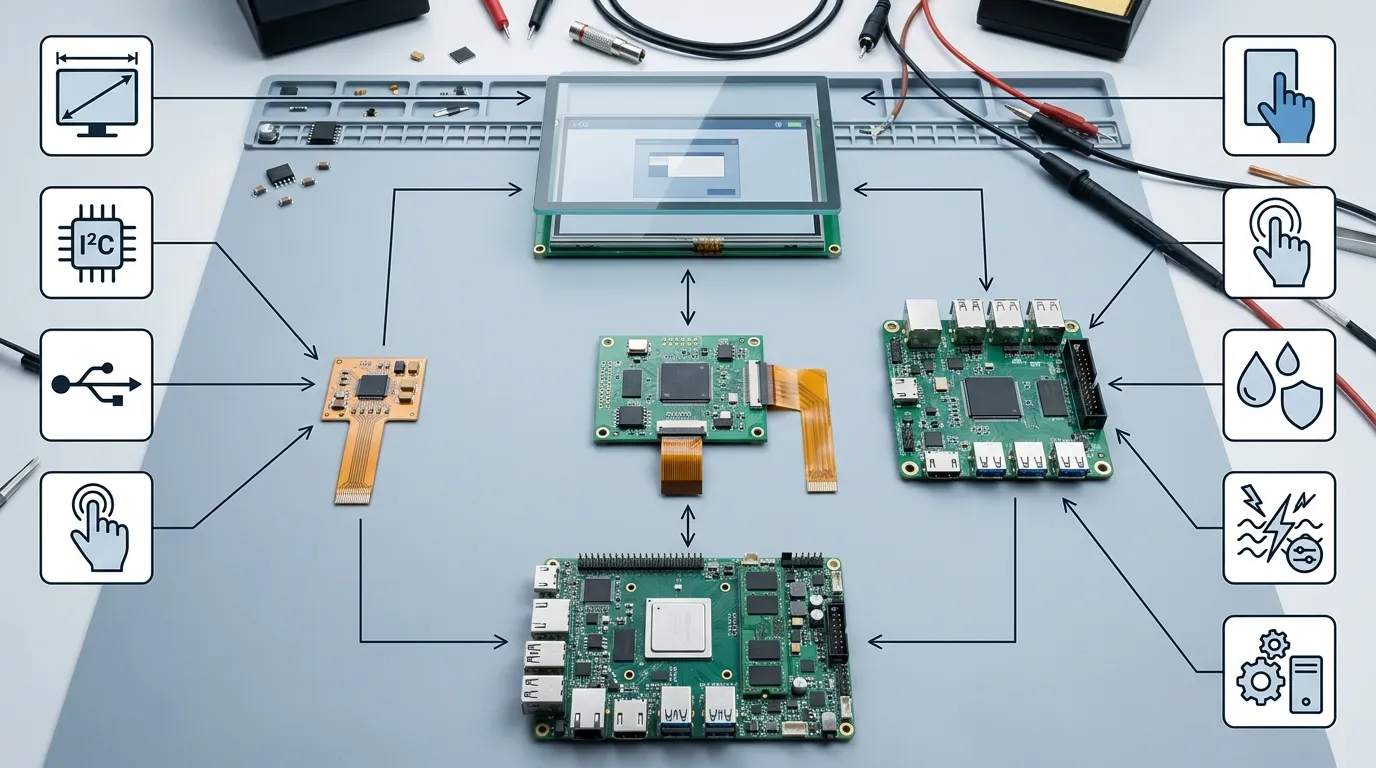
The controller should therefore be compared at the exact model level, not only by brand reputation.
| Comparison Area | GOODIX | ILITEK | EETI | What the OEM Must Confirm |
|---|---|---|---|---|
| Typical project scope | Common in embedded and consumer-to-industrial PCAP projects | Used across commercial, industrial, medical, and HMI applications | Commonly considered for industrial, commercial, and larger PCAP systems | Exact model and supported sensor size |
| FaceLCD product evidence | Selected FaceLCD products use GT911 and GT928 | A FaceLCD product listing uses ILI2511 | No confirmed FaceLCD integration should be assumed | Availability for the specific project |
| Interface options | Often includes I²C depending on model | May include I²C, USB, or controller-board options | Varies between IC and controller-board families | Host-board electrical and software compatibility |
| Environmental functions | Model-dependent glove, wet-touch, noise, or low-power features | Model-dependent glove, water, EMC, and thick-glass support | Selected families may support glove input, palm rejection, and noise filtering | Test conditions and final firmware |
| Driver and firmware | Depends on controller model and host platform | Depends on model, board, and support channel | Depends on controller family and operating system | Actual driver files and configuration responsibility |
| Best-fit decision | Based on the complete application | Based on the complete application | Based on the complete application | Sample validation before approval |
A controller should not be selected from this table alone. The final decision must consider sensor design, electrical noise, driver support, component lifecycle, tuning resources, and current supply.
A GOODIX model may enter the shortlist when the project involves:
This does not mean every GOODIX model is interchangeable or currently available.
An ILITEK model may be considered when the project requires:
Driver availability and tuning support must be confirmed before the controller is approved.
An EETI solution may be evaluated for projects involving:
FaceLCD’s ability to supply or integrate a particular EETI model must be confirmed for each project. The available information does not support a general claim that FaceLCD stocks or routinely integrates EETI controllers.
The controller must support the sensor’s transmit and receive channel configuration. Screen dimensions alone are not enough.
The engineering review should consider:
A controller cannot always be substituted without changing the sensor pattern, FPC, firmware, or connector design.
Cover-glass conditions directly affect sensitivity and signal strength.
Important variables include:
A controller tuned for a thin sample lens may not perform correctly after a thicker production cover glass is installed.
The touch-panel FPC must match the controller and the host board.
Confirm:
LCD scanning, DC-DC converters, chargers, motors, radios, long cables, and poor grounding can interfere with capacitive touch sensing.
The controller must be tested while operating with:
This is why a loose-panel bench test is not enough to approve an OEM touch solution.
Before controller selection, FaceLCD and the customer should confirm:
A controller described as supporting Linux or Android may still require model-specific driver work. Plug-and-play compatibility should not be assumed without testing the exact board and software image.
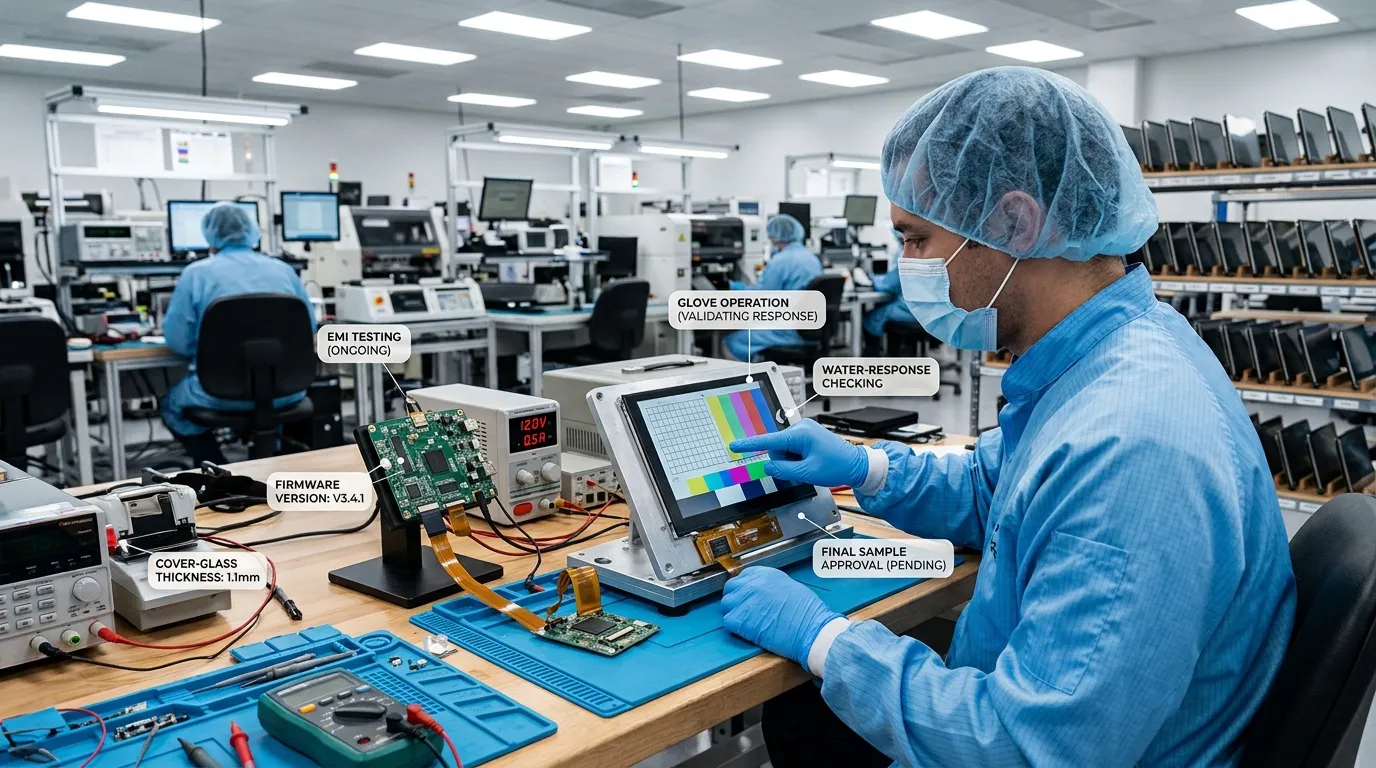
The customer provides the LCD drawing, touch dimensions, cover-glass requirements, mainboard, operating system, interface, environmental conditions, and expected order volume.
FaceLCD reviews possible controller models based on:
The touch outline, active area, cover glass, FPC direction, connector, pinout, bonding method, and housing limitations are confirmed before sampling.
The sample is produced with the selected sensor, controller IC or controller board, FPC, connector, and initial firmware or parameter configuration.
The sample should be tested with the customer’s real LCD, mainboard, power supply, enclosure, operating system, gloves, water conditions, and expected sources of electrical noise.
Before mass production, the approved configuration should record:
| Test | What to Check | Why It Matters |
|---|---|---|
| Coordinate accuracy | Center, corners, and edges | Finds sensor or tuning errors |
| Multi-touch | Required simultaneous touch points | Confirms user-interface support |
| Drag and gestures | Smooth movement without jumps | Detects unstable tracking |
| Power cycling | Repeated cold and warm starts | Reveals initialization problems |
| EMI and noise | LCD, charger, motor, inverter, and long cables | Identifies ghost-touch risk |
| Glove operation | Actual glove type and thickness | Generic glove claims may not match the application |
| Water response | Droplets, flowing water, or condensation as required | Confirms rejection or continued operation |
| Thick cover glass | Final production glass | Verifies sensitivity through the real lens |
| Edge and bezel | Touches near borders and metal parts | Detects grounding and edge issues |
| OS and driver | Final software build | Prevents integration problems |
| Temperature | Required operating range | Confirms field stability |
| Long-run operation | Repeated use and idle periods | Finds intermittent failures |
Common mistakes include:
FaceLCD has listed individual touch-panel configurations using controllers such as:
These examples show that FaceLCD can document controller-specific touch-panel designs. They do not prove universal availability, interchangeability, or an official partnership with the controller manufacturers.
The controller for a new project must still be selected according to current specifications, availability, and validation results.
To receive a project-specific recommendation, provide as much of the following information as possible:
There is no universal best brand. The correct choice depends on the exact controller model, sensor design, screen size, interface, operating system, cover glass, environmental requirements, engineering support, and current availability.
FaceLCD has product examples using selected GOODIX and ILITEK controllers. Support for any GOODIX, ILITEK, EETI, or alternative model must be confirmed for the individual project. No general partnership or availability claim should be assumed.
Yes. FaceLCD can review the LCD, touch dimensions, cover glass, mainboard, operating system, interface, environment, and production requirements before proposing a suitable controller and touch-panel configuration.
An I²C controller IC is commonly integrated into the touch-panel FPC and communicates directly with an embedded host. A USB controller board adds hardware that converts the touch data to USB, which may be more suitable for monitors, PCs, and some industrial systems.
Sometimes, but not automatically. A controller change may require a different sensor pattern, FPC, connector, firmware, driver, or electrical design. The replacement must be reviewed and retested.
Selected controllers may support these conditions, but performance depends on the exact model, sensor, cover-glass construction, firmware, grounding, and test environment. The final assembly must be validated under the real use conditions.
Support depends on the selected controller, interface, driver, operating-system version, and customer platform. These details should be confirmed before the sample is approved.
Common causes include LCD noise, poor grounding, charger interference, long cables, metal housing, water, unstable power, unsuitable firmware, and changes to the cover glass or assembly after tuning.
A replacement controller may require changes to the sensor, FPC, firmware, driver, or mainboard integration. OEM projects should define a component-lifecycle and requalification process before production.
Send the LCD drawing, touch and cover-glass dimensions, mainboard information, operating system, interface requirements, FPC and connector details, environmental conditions, prototype quantity, and estimated production volume.
Send FaceLCD your LCD drawing, cover-glass file, touch dimensions, mainboard details, operating system, interface, environmental requirements, and expected order volume. Our team can review the complete touch stack, shortlist a suitable controller configuration, prepare a custom sample plan, and provide a project-specific quotation.