
FaceLCD Hong Kong Limited
Tel: +8615818692944
E-mail: sales@facelcd.com
Address: 13F, Buiding B, Colorful Tech Park, Guanlan High tech park, Longhua Dist, Shenzhen,China ZIP code 518100
You are here: Home > Technology >
A high brightness LCD display can remain easier to read in sunlight and other strong ambient-light conditions than a standard indoor screen. However, brightness alone does not make an LCD sunlight readable. The final result also depends on reflections, cover glass, touch-panel layers, optical bonding, viewing angle, power consumption, and thermal design.
For outdoor equipment, the display must be treated as a complete optical and electrical system. The LCD panel, LED backlight, touch sensor, cover glass, backlight driver, and enclosure all affect what the user finally sees.
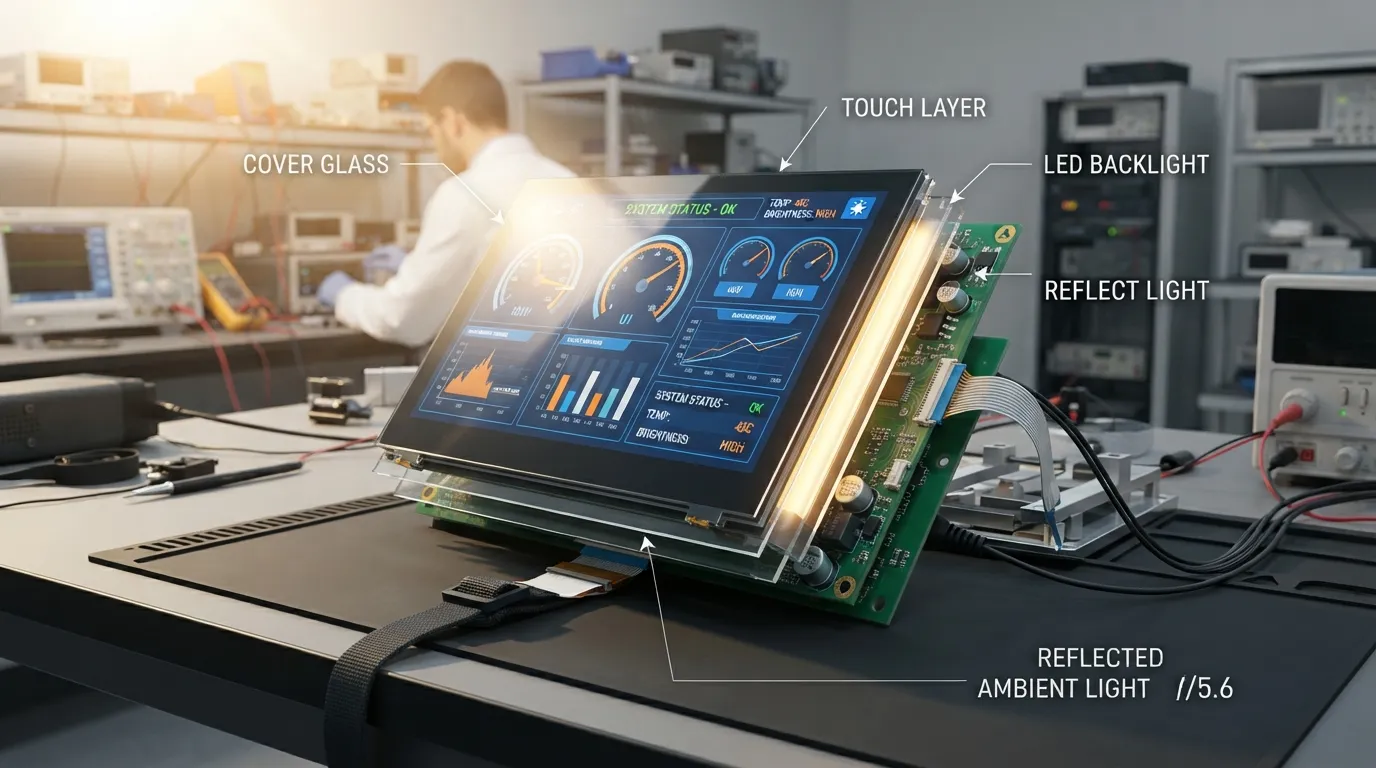
LCD brightness is normally measured in nits, which is equivalent to candela per square metre, or cd/m². A higher value means the display emits more light toward the viewer.
A standard indoor TFT LCD may perform well in offices, homes, or shaded equipment. Under direct or reflected sunlight, however, external light can overpower the image and reduce visible contrast. A high-brightness LCD uses an enhanced backlight system to produce more usable luminance.
The term “high brightness” does not have one universal cutoff. A display suitable for a covered kiosk may not be strong enough for equipment facing direct midday sunlight. The required level depends on the environment, optical stack, viewing distance, content, and acceptable power consumption.
It is also important to distinguish between two related terms:
A panel can have a high advertised nit value and still perform poorly if the front surface reflects too much light or if additional glass layers reduce transmission.
An LCD creates an image by controlling light from its backlight. Outdoors, sunlight and reflected light enter the viewer’s line of sight at the same time. If the ambient light is much stronger than the light coming from the display, dark areas appear grey and text becomes harder to read.
The required luminance therefore depends on:
A screen used only in shade may need a different configuration from a control panel installed on an exposed machine.
Every optical surface can reflect light. A complete touch display may include the LCD surface, an air gap, a touch sensor, adhesive layers, and cover glass. Reflections from these interfaces can reduce perceived contrast even when the backlight is powerful.
Common reflection sources include:
This is why outdoor readability must be evaluated after the touch panel and cover glass are installed, not only from the bare LCD datasheet.
Brightness, contrast, and gamma affect different parts of image performance.
| Display Property | What It Controls | Why It Matters Outdoors | What It Does Not Solve Alone |
|---|---|---|---|
| Luminance | Amount of emitted light | Helps the image compete with ambient light | Surface reflection |
| Contrast | Difference between light and dark output | Improves text and image separation | Strong glare |
| Gamma | Mid-tone response | Affects tonal detail and image balance | Insufficient backlight output |
| Reflectance | Amount of external light returned to the viewer | Influences perceived contrast | Power or heat |
| Viewing angle | Image stability from different positions | Important for kiosks and HMIs | Direct solar exposure |
Gamma does not make a low-output backlight suitable for direct sunlight. It controls how intermediate tones are displayed. For a deeper explanation, see how gamma affects LCD image output.
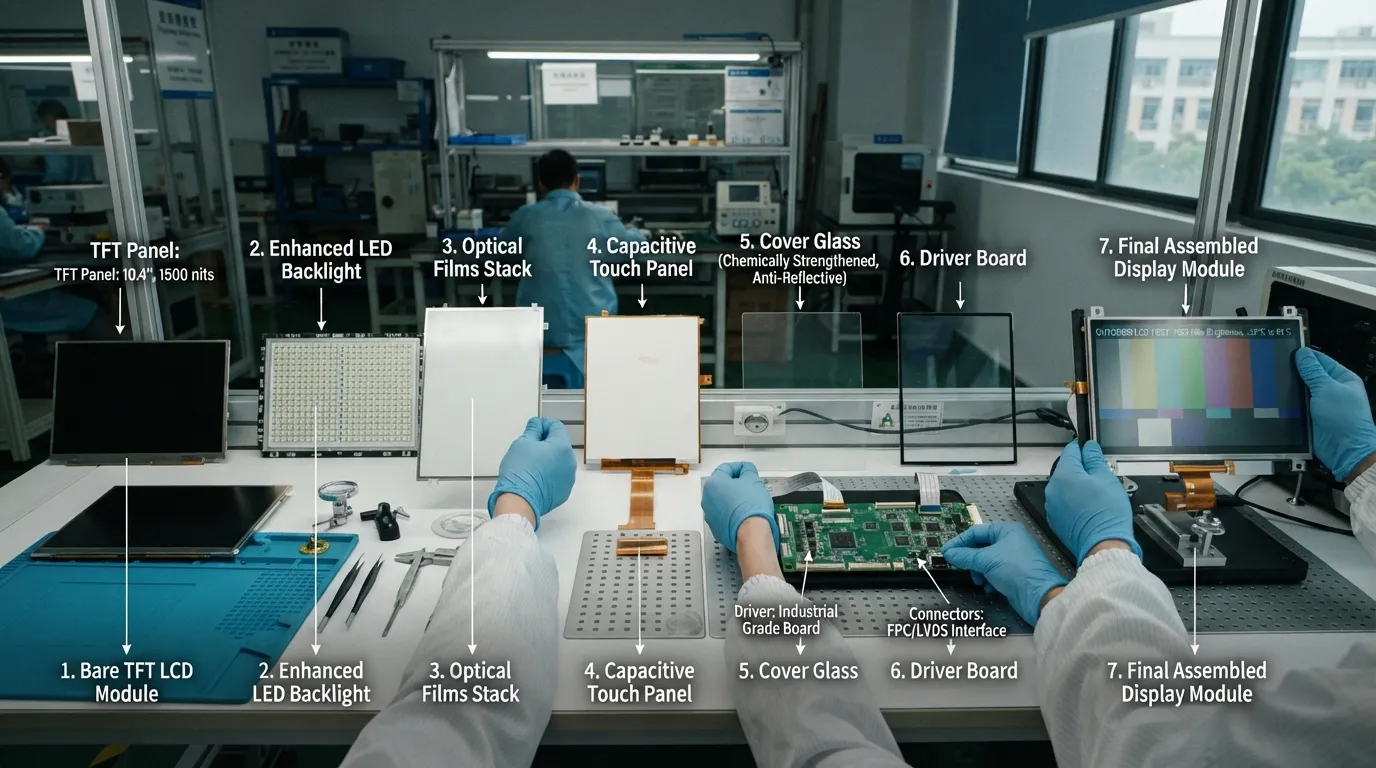
Start with the real operating conditions, not a preferred nit number.
Document:
A machine showing large status icons may have different readability requirements from a medical or inspection device showing small measurements.
The target should describe the expected result, not only the bare-panel specification.
Consider:
Avoid assuming that one brightness level works for every outdoor device. Two panels with the same nominal luminance may look different after cover glass, bonding, and enclosure integration.
Where possible, specify whether the requirement applies to:
The final assembled value is usually the most useful for validating the complete product.
The LCD panel must first meet the application’s size, resolution, interface, viewing-angle, and temperature requirements. The backlight can then be designed around the required output.
Important factors include:
Increasing LED current can raise luminance, but it may also increase power consumption and heat. Improving optical efficiency can sometimes produce more usable output without depending only on higher current.
Reducing reflected light can improve readability without relying entirely on a stronger backlight.
Possible methods include:
Anti-glare and anti-reflective treatments are not the same. Anti-glare surfaces diffuse reflections, while anti-reflective treatments reduce the amount of light reflected from the surface. Optical bonding removes the air gap between layers and can reduce internal reflections.
A brighter backlight normally requires more electrical power. That power becomes part of the equipment’s thermal load.
The design should check:
A display that looks clear during a short test may still overheat during long outdoor operation. The enclosure, driver board, and surrounding electronics must be considered together.
A capacitive touch panel adds optical layers above the LCD. Cover-glass thickness, bonding method, printed borders, adhesive, and touch-sensor structure can all affect the final visible output.
Check:
Water resistance, glove touch, UV exposure, and complete enclosure protection belong to the broader outdoor capacitive touch screen design. They should be evaluated with brightness, but they should not be treated as backlight issues.
The complete assembly should be tested under realistic conditions before production approval.
The validation should include:
Testing only the bare LCD can hide losses caused by cover glass, adhesive, and touch-panel layers.
A high-brightness backlight may use more efficient LEDs, a different LED arrangement, or a higher drive current. The driver must be able to supply stable current while supporting the required dimming method.
Increasing output without checking the driver and thermal path can cause:
The backlight should therefore be designed as part of the complete electronics system.
More light can also be directed toward the viewer through better optical design.
The backlight stack may include:
These parts affect brightness uniformity as well as peak luminance. A display with a high centre measurement but dark edges may still perform poorly in practical use.
Outdoor equipment does not always need maximum brightness. A display may face direct sunlight during part of the day and operate in shade or darkness at other times.
Brightness control can use:
Automatic dimming can reduce unnecessary heat and power consumption while preventing the screen from becoming uncomfortable at night.
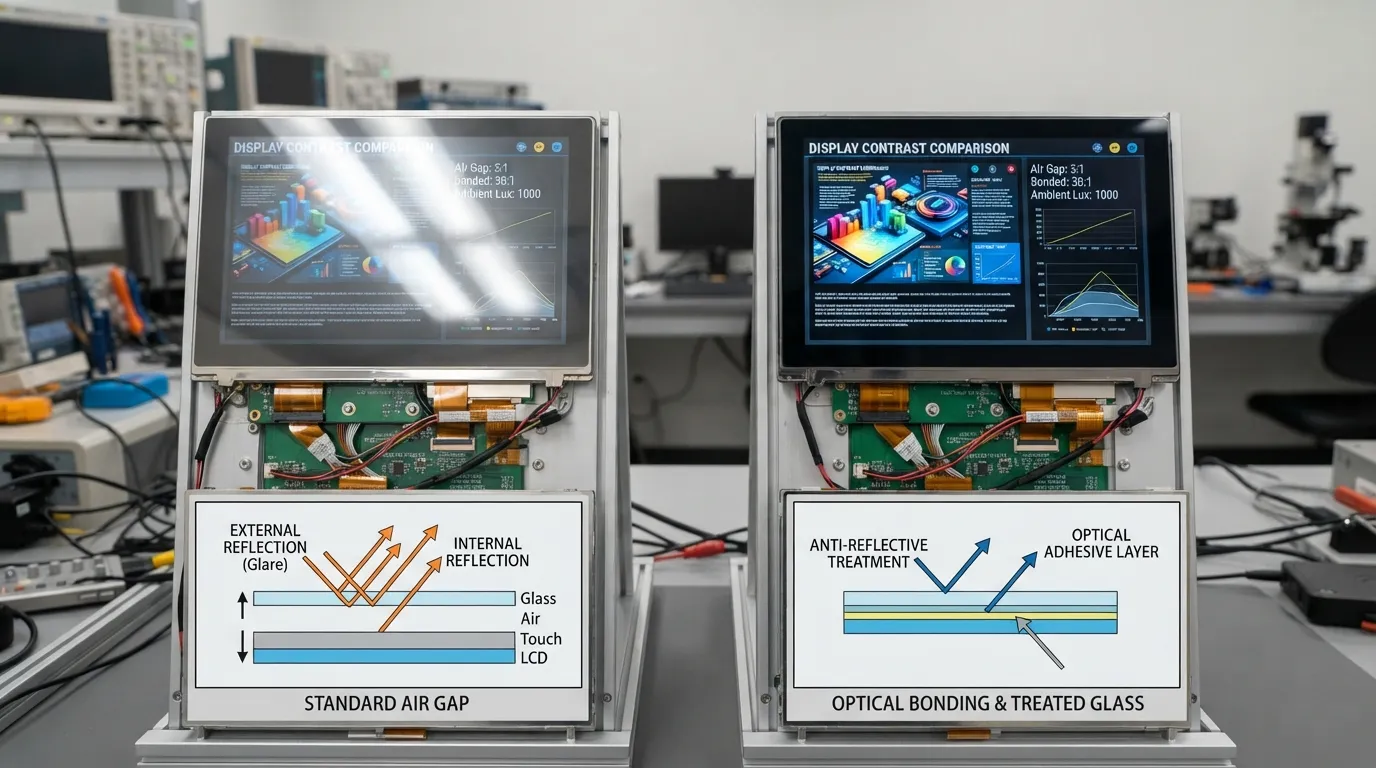
These methods solve different parts of the outdoor-readability problem.
| Option | Primary Function | Main Advantage | Limitation or Trade-Off | Best Use |
|---|---|---|---|---|
| Anti-glare | Diffuses reflected light | Reduces mirror-like reflections | May soften fine image detail | General outdoor interfaces |
| Anti-reflective treatment | Reduces surface reflection | Preserves contrast and clarity | Coating durability and cost must be checked | High-clarity outdoor screens |
| Optical bonding | Removes the air gap between layers | Reduces internal reflection and improves rigidity | More complex assembly | Outdoor touch displays |
| Higher backlight output | Increases emitted luminance | Directly raises display output | More power and thermal load | Strong ambient light |
| Automatic dimming | Adjusts output to conditions | Reduces heat and wasted power | Requires sensor and control support | Day-and-night equipment |
These options are often complementary. Optical bonding does not create more backlight output, but it can improve perceived contrast by reducing internal reflections. A high-output backlight may still be necessary under strong sunlight.
A capacitive touch panel can be combined with a high-brightness LCD, but the optical stack must be planned early.
Important questions include:
The panel brightness should not be approved before the final glass and bonding structure are defined. Changing the cover glass later can alter reflection, transmission, touch sensitivity, and mechanical fit.
The correct configuration depends on the application.
| Scenario | Main Visibility Challenge | Priority Engineering Choices | Important Test |
|---|---|---|---|
| Outdoor industrial HMI | Direct or reflected sunlight | High output, reflection control, wide viewing angle | Alarm readability |
| Covered self-service kiosk | Glare and changing daylight | AG or AR treatment, dimming | Day-to-night transition |
| Mobile inspection device | Limited battery capacity | Efficient backlight, controlled brightness | Battery runtime |
| Transportation terminal | Long duty cycle and heat | Thermal design, uniformity, robust optical stack | Continuous-operation temperature |
An outdoor HMI may prioritise warning visibility and wide-temperature operation. A portable inspection tool may accept lower average brightness if an ambient-light sensor raises output only when necessary.
These are design examples, not fixed specifications. Each project still needs prototype testing.
There is no universal cutoff. The term generally describes an LCD with a stronger-than-standard backlight for bright indoor or outdoor use. The correct level depends on the complete optical stack and viewing environment.
The answer depends on direct sunlight, reflection, bonding, cover glass, viewing angle, and screen content. The target should be set for the final assembly rather than selected from one general number.
It may be enough for some designs, but it is not a guarantee. A reflective cover surface or air gap can still reduce readability. The complete display should be tested under the intended conditions.
No. High luminance helps, but surface reflection, optical transmission, ambient contrast, viewing angle, and thermal stability also affect the result.
Optical bonding does not increase the light produced by the backlight. It can reduce internal reflections and improve perceived contrast, making the image easier to see.
Usually, higher backlight output increases power demand. Efficient LEDs, optical films, improved light guides, and automatic dimming can reduce unnecessary consumption.
Yes. The touch sensor, cover glass, bonding method, and surface treatment should be selected with the LCD so the final assembly maintains suitable transmission and touch performance.
Yes, if the backlight driver and control system support dimming. An ambient-light sensor or programmed brightness profile can reduce output when maximum brightness is unnecessary.
Both measurements can be useful, but final acceptance should normally include the assembled touch display. This reveals losses caused by the touch sensor, adhesive, cover glass, and additional optical interfaces.
Provide the display size, resolution, interface, installation environment, sunlight exposure, target final brightness, touch structure, cover-glass requirements, power limit, operating temperature, and expected dimming method.
Sunlight readability is not created by one brightness number. It comes from balancing backlight output, reflection control, touch integration, power, heat, and realistic validation. For a technical feasibility review, send FaceLCD your required display size, application environment, target brightness, touch structure, interface, power limit, and operating temperature range.