
FaceLCD Hong Kong Limited
Tel: +8615818692944
E-mail: sales@facelcd.com
Address: 13F, Buiding B, Colorful Tech Park, Guanlan High tech park, Longhua Dist, Shenzhen,China ZIP code 518100
You are here: Home > Technology >
An LCD display wide temperature range specification matters when a screen must operate outside a controlled office or indoor environment. A display that performs normally at room temperature may respond slowly during a cold start, lose visual stability inside a hot enclosure, or experience faster component ageing during prolonged heat exposure.
For industrial equipment, the key question is not whether a supplier describes an LCD as “industrial-grade.” The real question is whether the exact LCD module and the complete display assembly can operate reliably under the equipment’s actual temperature conditions.
This guide explains what wide temperature means, how heat and cold affect LCD performance, and how to select and validate the right display for an industrial project. For broader context, see why industrial TFT LCD displays matter.
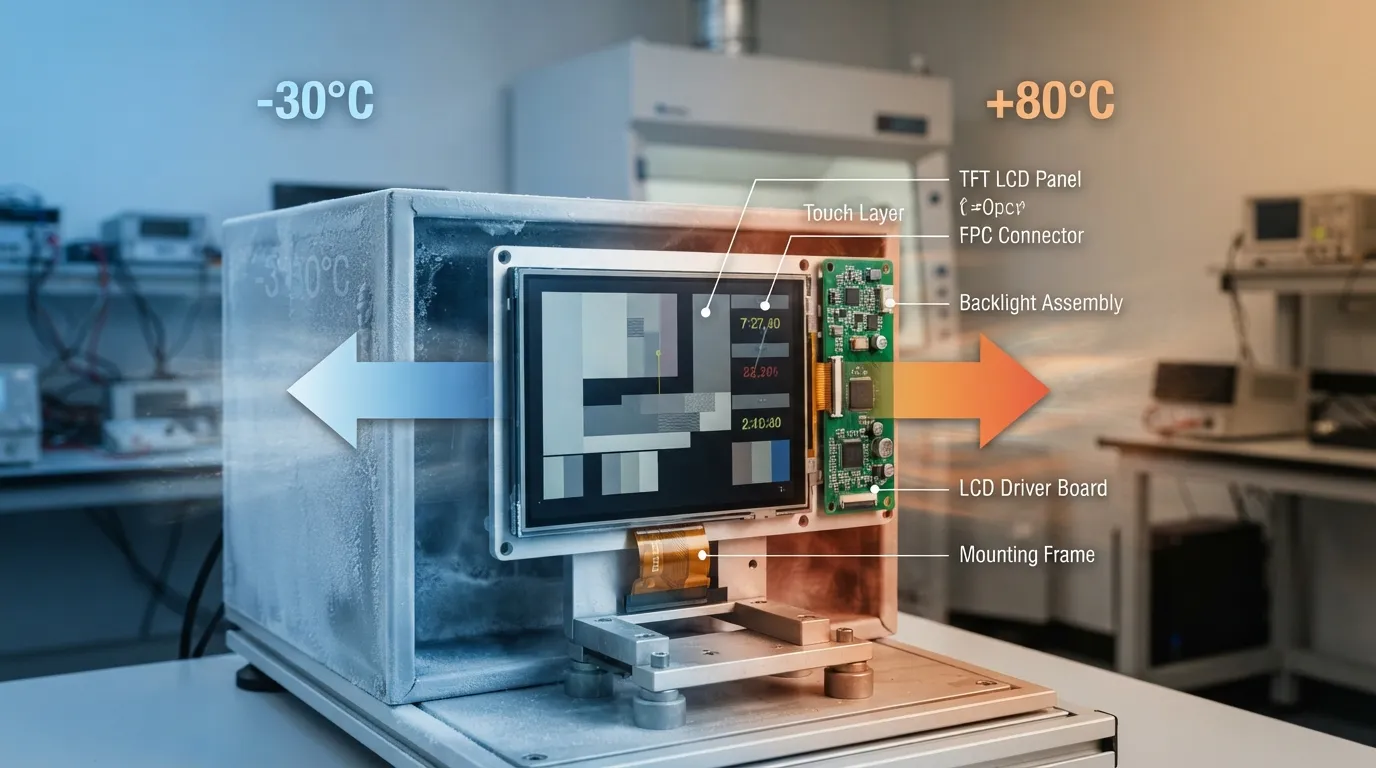
A wide-temperature LCD display is designed to operate across a broader temperature range than a display intended mainly for controlled indoor environments.
However, “wide temperature” is not one universal standard. One LCD module may be rated for -20°C to +70°C, while another may support -30°C to +80°C. A standard commercial module may have a narrower operating range, such as -10°C to +50°C.
The correct range depends on the application, not on which number looks more impressive.
| Example Operating Range | Possible Application Context | Important Qualification |
|---|---|---|
| -10°C to +50°C | Controlled indoor or portable equipment | May not suit cold outdoor starts or hot sealed enclosures |
| -20°C to +70°C | Many industrial and vehicle-related applications | The complete assembly still requires validation |
| -30°C to +80°C | More demanding industrial, transportation or outdoor conditions | A wider rating does not replace good thermal design |
These are example module ranges, not fixed industry categories. Engineers must check the datasheet for the exact panel or module being considered.
A wide operating range also does not automatically mean the display is waterproof, sunlight-readable, vibration-resistant, or suitable for every outdoor application. Those requirements must be evaluated separately.
Operating temperature and storage temperature are different specifications. Confusing them can lead to an unsuitable display being approved for a project.
The operating temperature range defines the conditions in which the LCD is intended to function while powered.
Within this range, the display should operate according to the manufacturer’s specification. However, performance near the minimum or maximum limit may still need application-level testing, especially when startup speed, touch response, or immediate readability is important.
The storage temperature range normally applies while the LCD is unpowered.
It indicates the environmental limits the module may tolerate during storage or transportation. It does not prove that the screen can operate normally at those temperatures.
For example, an LCD may survive a cold warehouse within its storage rating but still require warming before its response speed becomes acceptable during powered operation.
| Specification | Display Powered? | What It Indicates | What It Does Not Prove |
|---|---|---|---|
| Operating temperature | Yes | Intended powered-use range | Identical performance at every temperature point |
| Storage temperature | No | Unpowered storage or transportation limits | Normal powered operation |
| Application temperature | Yes | Conditions inside the finished product | Compliance unless measured and tested |
The application temperature is often the most important value because the LCD may experience conditions different from the surrounding outdoor or room temperature.
Temperature affects the liquid-crystal layer, backlight, polarizers, adhesives, driver electronics, and other parts of the display assembly. Low and high temperatures also create different problems.
At low temperatures, the liquid-crystal material may change state more slowly. This can produce:
A display may still turn on at its minimum rated temperature but fail to meet the application’s practical needs. For example, a factory HMI that shows alarms must become readable quickly after power-on. A screen that needs several minutes to stabilize may not be acceptable even if it technically operates.
Cold-start testing is therefore different from placing an already-running display in a cold environment. Both conditions should be evaluated when immediate startup is required.
High temperature can place additional stress on the LCD module and supporting components. Possible effects include:
A module’s published maximum temperature should not be treated as the ideal continuous operating point. Prolonged operation near the limit may increase thermal stress, especially inside a closed enclosure.
| Condition | Possible Symptom | Engineering Question |
|---|---|---|
| Cold startup | Slow transitions or delayed readability | Must alarms or controls be visible immediately? |
| Continuous cold operation | Reduced response speed | Is the response acceptable at the minimum temperature? |
| Hot enclosure | Contrast, brightness, or lifespan concerns | What is the measured temperature near the panel? |
| Rapid temperature change | Condensation risk | Is moisture control included in the enclosure design? |
| Repeated temperature cycling | Connector, adhesive, or assembly stress | Has the complete assembly been tested repeatedly? |
Exact behaviour varies by panel design, backlight system, and complete display configuration.
Selecting a wide-temperature LCD should follow a practical engineering process. Choosing the widest available specification without reviewing the complete system can increase cost without solving the real problem.
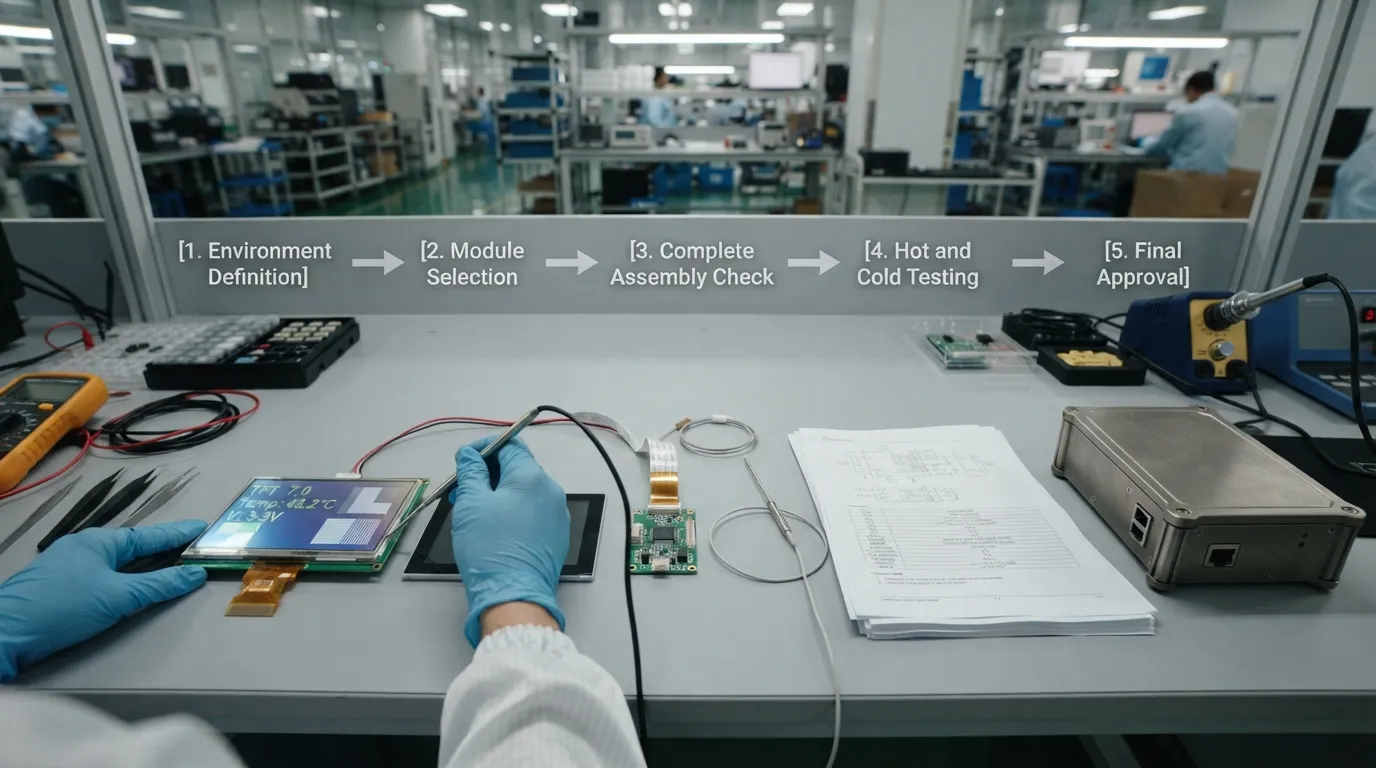
Start by documenting:
Do not rely only on average seasonal temperatures. Short periods of extreme cold or heat may determine the required specification.
Outdoor air temperature and LCD temperature are not always the same.
Inside a closed industrial enclosure, heat from the processor, power supply, backlight, and other electronics may raise the local temperature significantly. Direct sunlight can also heat the display surface beyond the surrounding air temperature.
During prototype testing, place temperature sensors near the LCD module and other heat-sensitive parts. Measurements from a final-like enclosure are more useful than assumptions based only on room or weather data.
Avoid selecting a display whose minimum and maximum ratings exactly match the expected environmental limits.
Some margin helps account for:
There is no universal temperature margin for every project. The correct margin depends on the equipment, safety requirements, measurement quality, and acceptable visual performance.
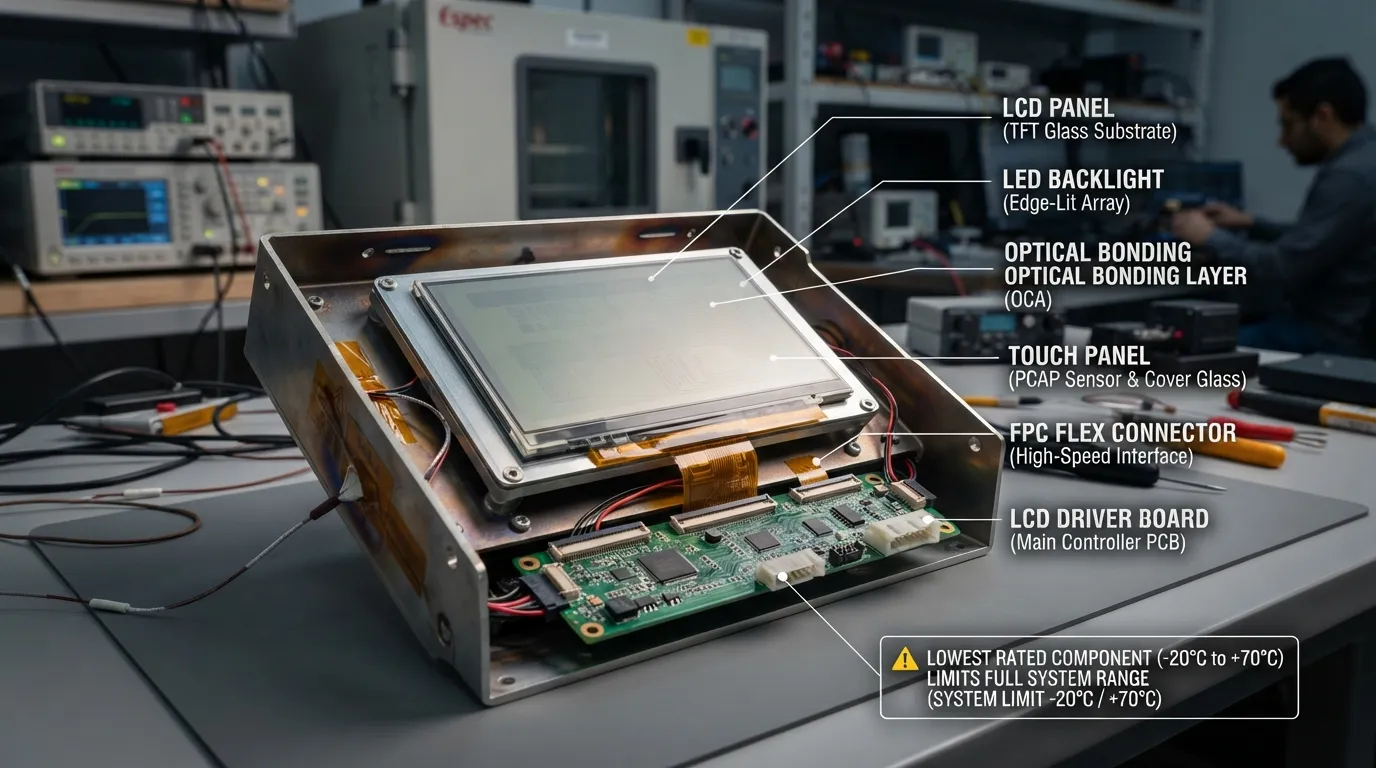
The LCD panel is only one part of the system. Confirm the temperature limits of:
The lowest-rated required component may define the practical operating limit of the complete display.
For example, a TFT panel rated for -30°C to +80°C does not make the full system suitable for that range if the touch controller or driver board is rated only to +70°C.
Do not approve a display based only on a general product family or sales description.
Request:
The temperature specification must remain connected to the exact model and complete configuration being purchased.
Test the display with the intended:
The test plan should include:
Testing a bare LCD on an open bench may not reveal the thermal conditions created by the finished product.
Define pass and fail conditions before testing.
Possible criteria include:
Without defined criteria, two engineers may observe the same test and reach different conclusions.
A factory room may remain at a moderate temperature while a sealed control cabinet becomes much hotter internally.
The engineer should evaluate continuous operation, internal airflow, nearby power components, and whether alarms remain readable during peak load. The maximum temperature measured near the LCD is more useful than the room temperature.
A vehicle display may face a cold overnight start followed by rapid heating from sunlight and cabin systems.
Important requirements include cold-start response, high-temperature operation, repeated cycling, and readability after long exposure. Sunlight readability should be treated as a separate requirement from temperature tolerance.
An outdoor terminal may experience seasonal cold, solar heating, humidity, and rapid temperature changes.
The project should review operating range, enclosure temperature, condensation, sealing, and brightness separately. A wide-temperature module alone does not make the complete terminal outdoor-ready.
Monitoring equipment may operate continuously and must present stable, readable information.
The design should consider display temperature, backlight ageing, system heat, and the operating limits of the touch panel and driver electronics.
Operating temperature and expected lifespan are connected, but they are not the same specification.
An LCD may be rated to operate at a high temperature while still experiencing faster component ageing during prolonged heat exposure. High backlight output, poor airflow, and nearby electronics may further increase the module temperature.
Temperature should therefore be reviewed alongside brightness, duty cycle, humidity, power stability, and mechanical stress. For a broader discussion, see the main factors that affect LCD screen lifespan.
Before approving an industrial LCD, confirm:
A wide-temperature LCD supports a broader operating range than a typical controlled-environment display. There is no single universal range. Suitability depends on the exact module specification and application conditions.
No. Operating temperature applies while the display is powered. Storage temperature normally applies while it is unpowered during transportation or storage.
Low temperatures can slow the movement of the liquid-crystal material. This may cause delayed image transitions, smearing, or reduced readability until the display warms.
Yes. Prolonged heat can accelerate ageing of the backlight, polarizers, liquid-crystal materials, and electronic components, especially when the enclosure has poor airflow.
The complete assembly must support the application environment. A lower-rated touch controller, adhesive, driver board, or other component may limit the system even when the LCD itself has a wider range.
Not necessarily. The correct module must also meet the project’s size, interface, power, brightness, touch, mechanical, and cost requirements. A wider range is useful only when the application needs it.
Test cold and hot startup, continuous operation, response speed, readability, touch function, and recovery using the intended board, power supply, backlight settings, and final-like enclosure.
A wide-temperature LCD should be selected from measured operating conditions, not from an “industrial-grade” label alone. Share your expected operating and storage temperatures, screen size, interface, brightness, touch requirements, and enclosure details with FaceLCD to identify suitable module options for your project.