
FaceLCD Hong Kong Limited
Tel: +8615818692944
E-mail: sales@facelcd.com
Address: 13F, Buiding B, Colorful Tech Park, Guanlan High tech park, Longhua Dist, Shenzhen,China ZIP code 518100
You are here: Home > Technology >
Outdoor capacitive touch screens must do more than respond to a finger. They need to remain readable in strong ambient light, operate reliably around rain or wet fingers, fit the equipment enclosure, and communicate correctly with the main control system. FaceLCD supports custom outdoor display projects by matching the TFT LCD, projected capacitive touch panel, touch controller, cover glass, bonding method, FPC, connector, and front-panel integration requirements as one coordinated solution.
Because outdoor environments vary, there is no single configuration that works for every project. Brightness, water exposure, glove use, enclosure design, interface, and operating conditions must be reviewed before FaceLCD recommends a structure, produces a sample, or prepares a quotation.
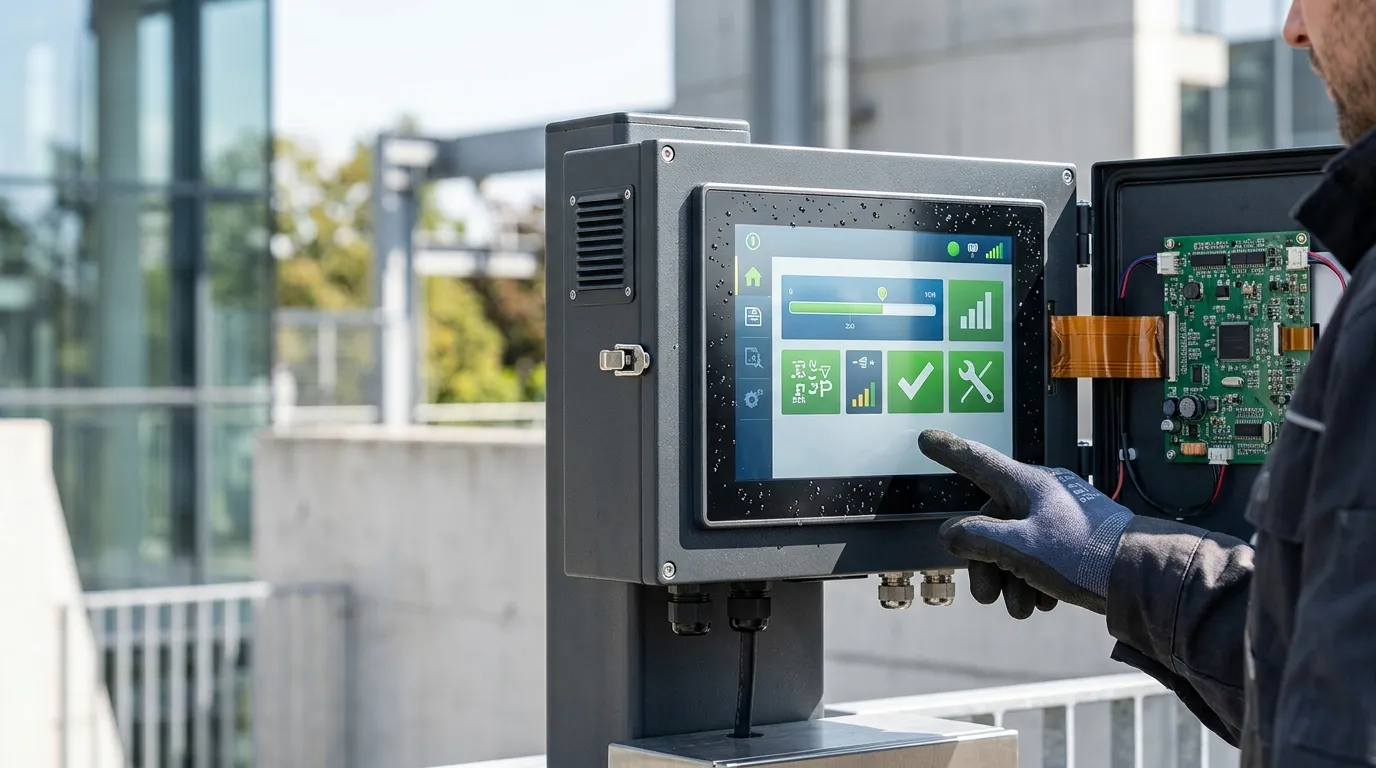
FaceLCD provides custom capacitive touch panels and matched LCD solutions for industrial-control equipment, security terminals, access-control systems, outdoor kiosks, commercial displays, and other embedded applications. Instead of treating the touchscreen as an isolated component, FaceLCD reviews how the complete display assembly will operate inside the customer’s equipment.
Depending on the project, FaceLCD can review and configure:
Not every standard FaceLCD touch-panel model includes waterproof or glove-touch functions. These capabilities must be confirmed for the exact LCD, touch sensor, controller, cover glass, firmware, and enclosure configuration.
An outdoor capacitive touch display is a system made of several connected parts. Increasing the LCD brightness alone does not automatically make the complete assembly suitable for direct sunlight, rain, condensation, or heavy-duty operation.
| Part of the Assembly | What FaceLCD Reviews | Information the Buyer Should Provide |
|---|---|---|
| TFT LCD | Screen size, resolution, brightness option, viewing angle, interface, and backlight requirements | Installation lighting, displayed content, viewing direction, power limits, and thermal conditions |
| Capacitive touch panel | Touch structure, controller, touch points, water response, and glove requirements | Expected input method, glove material, water exposure, and user environment |
| Cover glass | Size, thickness, printed border, viewing window, shape, and edge design | Enclosure drawing, mounting method, appearance, and protection requirements |
| Bonding | Display-to-touch integration and suitable bonding approach | Readability, condensation, thickness, durability, and cost priorities |
| FPC and interface | Cable direction, length, connector, pinout, and communication method | Mainboard layout, available space, connector location, and interface requirement |
| Front protection | Cover-glass perimeter, mounting interface, and front-sealing requirements | Bezel, gasket, enclosure joints, cable exits, and target protection level |
The correct LCD brightness depends on where and how the equipment will be installed. A display mounted under a canopy may need a different configuration from a kiosk exposed to direct sunlight throughout the day. Viewing angle, backlight power, operating hours, internal heat, and enclosure design also affect the final selection.
FaceLCD should therefore review the actual lighting environment rather than applying one universal brightness value to every outdoor project.
The touch sensor, touch IC, firmware, cover-glass thickness, grounding, and electrical environment all influence touch performance. A configuration that works with a dry bare finger may behave differently when exposed to water droplets, a continuous water film, electrical noise, or thick work gloves.
Buyers should clearly define whether they need occasional droplet rejection, wet-finger operation, rain exposure, glove touch, or operation during cleaning. These are different requirements and should be validated separately.
The cover glass affects more than appearance. Its thickness, viewing window, printed border, surface, edge shape, and overall dimensions influence durability, reflections, touch sensitivity, and enclosure fit.
FaceLCD can review the cover-glass design together with the LCD and touch-panel drawings. This helps prevent common problems such as an incorrect viewing window, misaligned active areas, insufficient edge clearance, or an FPC that interferes with the housing.
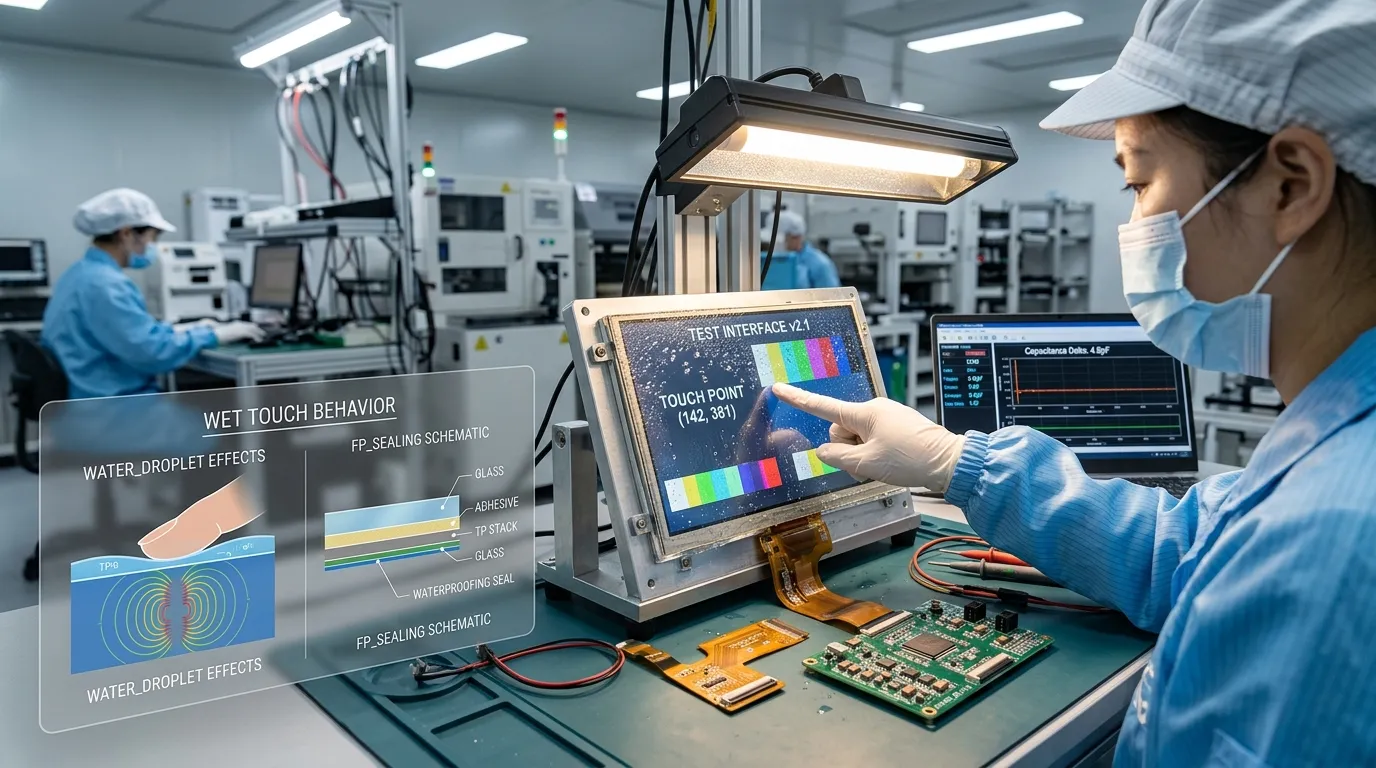
A sunlight-readable display must maintain usable contrast in its actual environment. The required configuration can differ among industrial HMIs, access-control terminals, outdoor kiosks, security equipment, transportation systems, and commercial displays.
Before selecting the LCD, FaceLCD should know whether the screen will operate in direct sunlight, partial sunlight, shade, or a high-intensity indoor environment. The buyer should also provide information about the viewing distance, displayed content, installation angle, daily operating hours, and available power.
A brighter backlight can improve visibility, but readability also depends on reflections from the cover glass, touch layer, internal air gaps, and display surface. Strong reflections can reduce perceived contrast even when the backlight itself is powerful.
Depending on the project, the review may include cover-glass treatment, display structure, bonding, viewing angle, and interface between the LCD and touch panel. These options must be confirmed for the specific model rather than described as standard features on every FaceLCD product.
Bonding the touch assembly to the display may reduce internal reflections and improve the structural connection between the layers. It may also reduce the space where internal condensation could form. However, bonding affects manufacturing cost, rework, thickness, and repairability, so it should be selected according to the equipment’s real operating conditions.
Higher-brightness backlighting can increase power consumption and internal heat. The enclosure may need adequate heat transfer, ventilation, or another thermal-management method. Long operating hours and high ambient temperatures should be included in the specification review because they can influence display life and performance.
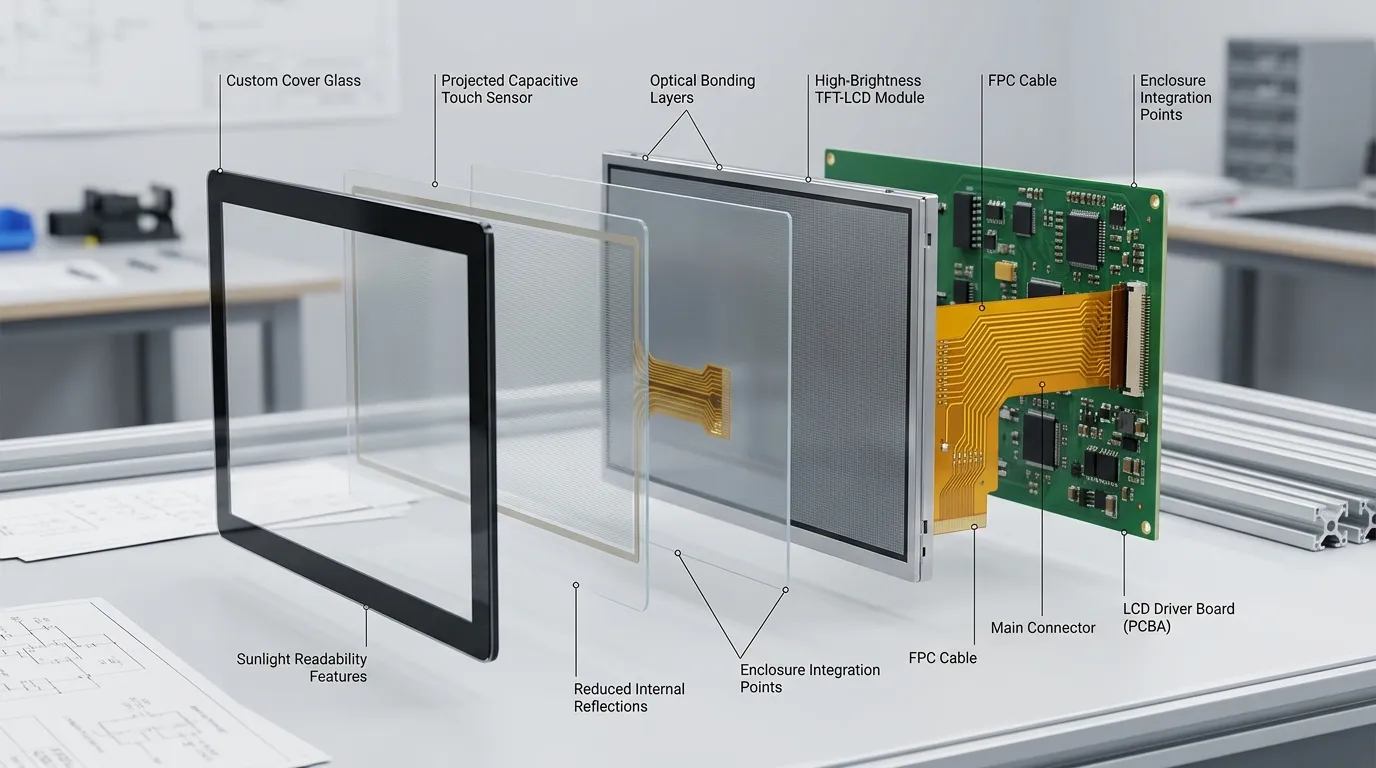
The word waterproof can describe several different requirements. A buyer may need only wet-finger operation, or the finished equipment may need protection against rain, splashes, cleaning, washdown, condensation, or high humidity.
The project specification should identify the actual exposure:
These conditions are not interchangeable. FaceLCD must review the required test condition before confirming performance.
Reliable touch operation around water can depend on the sensor design, touch controller, firmware, glass thickness, grounding, electrical noise, and behavior of the water on the surface. The system may need to reject false touches while still detecting the intended finger input.
Glove operation also requires a precise definition. The buyer should provide the glove material, thickness, dry or wet condition, and expected user action. A configuration tested with one thin glove should not automatically be assumed to work with every industrial or winter glove.
A touchscreen that recognizes a wet finger is not automatically a waterproof complete device. Water-touch capability describes how the touch system responds when moisture is present on the surface. Physical ingress protection depends on the construction of the complete assembly.
The final protection level may depend on:
Any quoted IP rating should state clearly whether it applies to the touch component, laminated front assembly, mounted front face, monitor enclosure, or complete finished equipment.
| Application | Main Environmental Risks | Configuration Priorities | Buyer Information Needed |
|---|---|---|---|
| Industrial outdoor HMI | Sunlight, gloves, rain, dust, EMI, and long operating hours | Readability, glove input, water rejection, grounding, and durable cover glass | Machine enclosure, glove type, interface, electrical environment, and operating conditions |
| Access-control terminal | Rain, wet fingers, public use, impact, and direct sunlight | Touch stability, visible UI, cover glass, and front sealing | Installation angle, canopy, enclosure cutout, and user environment |
| Security terminal | High ambient light, outdoor mounting, and continuous operation | Brightness, viewing angle, touch reliability, and thermal review | Application, operating hours, installation exposure, and control-system interface |
| Outdoor kiosk | Direct sunlight, public interaction, rain, and physical impact | Readability, multi-touch, strong cover glass, bonding, and sealed-front integration | Kiosk drawing, expected users, maintenance method, and environmental conditions |
| Commercial display | High brightness, long duty cycle, public use, and changing light | Visible content, touch response, thermal control, and viewing angle | Viewing distance, content type, sun exposure, and daily schedule |
| Field equipment | Gloves, changing weather, vibration, limited power, and frequent handling | Glove input, water rejection, power efficiency, and connector reliability | Glove type, battery limits, mounting method, and field conditions |
For projects that require broader harsh-environment selection guidance, buyers can also review FaceLCD’s industrial touch screen panel capabilities.
Outdoor readability, wet-touch behavior, glove operation, and ingress protection should be tested on the exact project configuration rather than assumed from a similar product.
| Specification | Information to Provide |
|---|---|
| Application | The equipment type and how users will interact with it |
| Installation | Direct outdoor, sheltered outdoor, or high-ambient-light indoor use |
| LCD | Existing LCD model or required screen size, resolution, and interface |
| Visible area | Required active area, viewing area, and enclosure opening |
| Ambient light | Direct sun, partial sun, shade, or strong artificial lighting |
| Viewing angle | The directions and distances from which users will view the screen |
| Touch points | Single-touch or multi-touch requirement |
| Water exposure | Droplets, rain, wet fingers, splash, cleaning, or washdown |
| Gloves | Material, thickness, and whether the gloves will be dry or wet |
| Cover glass | Thickness, shape, printing, viewing window, edges, and surface requirements |
| Bonding | Air-gap or project-specific bonding preference |
| Interface | I²C, USB, SPI, or another required communication method |
| FPC | Direction, length, connector, and pinout requirements |
| Enclosure | Cutout, bezel, gasket, mounting method, and sealing responsibility |
| Protection target | Front-face protection or complete-system ingress-protection requirement |
| Temperature | Required operating and storage ranges |
| Electrical environment | Expected EMI, grounding, voltage, and power conditions |
| Validation | Required tests, test conditions, and acceptance criteria |
| Quantity | Prototype quantity and expected production volume |
FaceLCD has produced custom LCD and touch solutions since 2009 and operates manufacturing facilities in Shenzhen and Dongguan. Its product scope includes LCD modules, capacitive and resistive touch panels, LCD driver boards, monitors, and all-in-one display machines.
For an outdoor capacitive touch screen project, the main advantage is the ability to coordinate multiple parts of the assembly through one supplier. FaceLCD can review the LCD, touch sensor, cover glass, bonding, FPC, connector, controller, and driver requirements together instead of leaving the buyer to solve each compatibility issue separately.
FaceLCD’s manufacturing capabilities include touch-panel processing, screen workshops, lamination operations, cable and connector configuration, display testing, and project-specific sample development. Final claims should still be based on the specification and testing of the exact product being ordered.
Yes, a capacitive touch system can be configured for certain rain, droplet, or wet-finger conditions. Performance depends on the sensor, controller, firmware, cover glass, grounding, electrical environment, and amount of water. The required condition should be defined and tested on the project sample.
FaceLCD can review high-brightness LCD options, viewing angle, cover-glass requirements, display structure, and bonding based on the installation environment. Direct-sun performance should not be confirmed until the brightness target and readability test conditions have been agreed upon.
No. Water-touch and glove-touch functions are model- and project-specific. They depend on the touch controller, firmware, sensor structure, cover glass, interface, and required operating conditions.
Water touch describes how the touchscreen responds when moisture is on the surface. An IP rating describes physical protection against dust or water under specified test conditions. The complete rating may also depend on the bezel, gasket, enclosure, connectors, cable exits, and final assembly.
FaceLCD can review custom cover-glass dimensions, thickness, printed borders, viewing windows, shapes, edges, and integration requirements. The final design should be based on the LCD drawing and equipment enclosure.
Yes, subject to drawing and interface review. FaceLCD should check the LCD active area, touch active area, viewing window, outer dimensions, FPC position, connector, and available assembly space before producing a sample.
FaceLCD supports project-dependent interfaces such as I²C, USB, and SPI. The available interface depends on the selected touch controller, host system, connector, firmware, and product design.
Send the LCD model or required screen size, mechanical drawing, installation environment, sunlight conditions, water exposure, glove details, interface, cover-glass requirements, protection target, temperature range, prototype quantity, and expected production volume.
Send FaceLCD your LCD model, mechanical drawing, sunlight conditions, water-exposure requirements, glove details, interface, enclosure information, protection target, and estimated quantity. The engineering team can review the display, capacitive touch panel, cover glass, FPC, bonding, controller, and front-integration requirements before preparing a sample and quotation.